Math games for kids: learning by taking care of a pet
Transparency: Nidada is made by AppRadar, the publisher of this website.

NidadaPets & Math
Math games for kids can turn counting, comparing, and problem-solving into meaningful actions. Nidada links its minigames to pet care and offers hints and adjustable levels, according to its App Store listing.
Why a pet can give meaning to practice
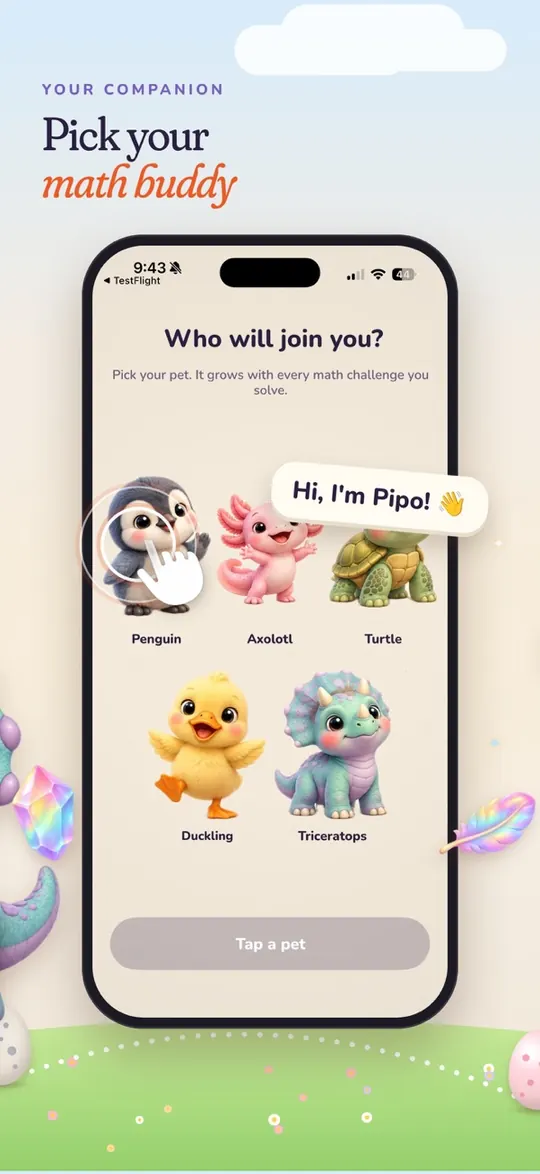
The app listing features a penguin, an axolotl, a turtle, a duckling, and a triceratops. The child chooses, names, and helps one of them hatch. When it wants to eat, play, bathe, or sleep, a math minigame is presented to help care for it. The story provides a clear reason to begin another activity. However, the character doesn't teach alone: the adult can ask which operation allowed the pet to be fed and whether the same concept appears in a real-life scenario.
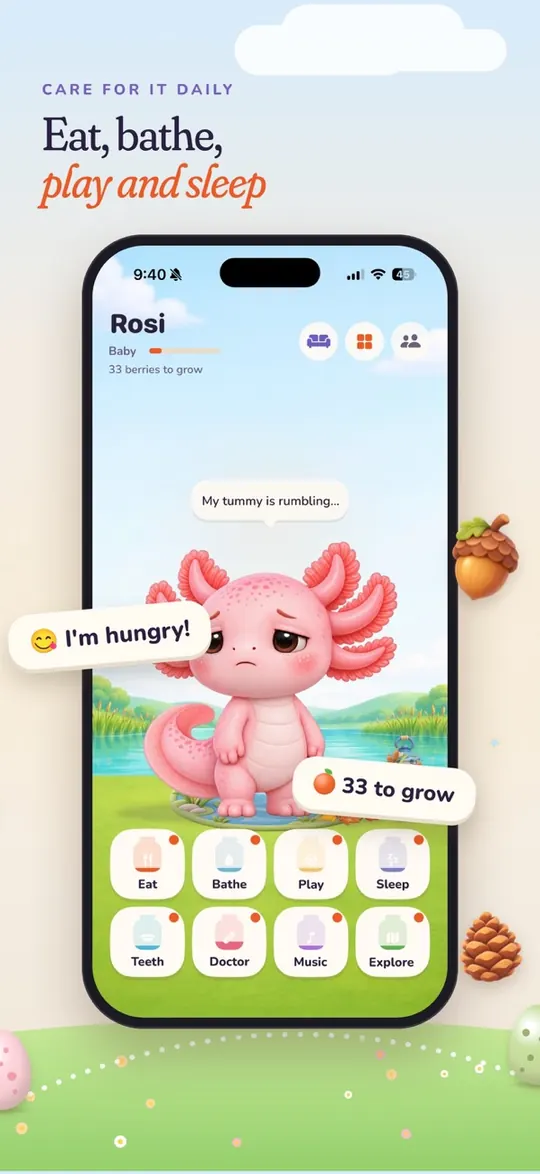
A virtual pet can also be distracting if the animations take up more attention than the problem itself. See if the child can explain the calculation without only pointing to the prize. If not, try a simpler game or pause the adventure to count real objects. The value of the design isn't measured by the number of eggs obtained, but by whether it helps the child return to an appropriate task with curiosity.
Counting, recognizing and writing numbers
For the youngest children, Nidada offers challenges that include reading aloud, writing numbers with their fingers, bubbles, memory pairs, and quick quantity recognition. Before writing six, it can be helpful to count six objects and associate them with the symbol. A voice makes it easier for those who can't yet read to follow instructions, but it doesn't replace a conversation about what the number means. Ask them to show the same quantity with their fingers, blocks, or dots on paper.
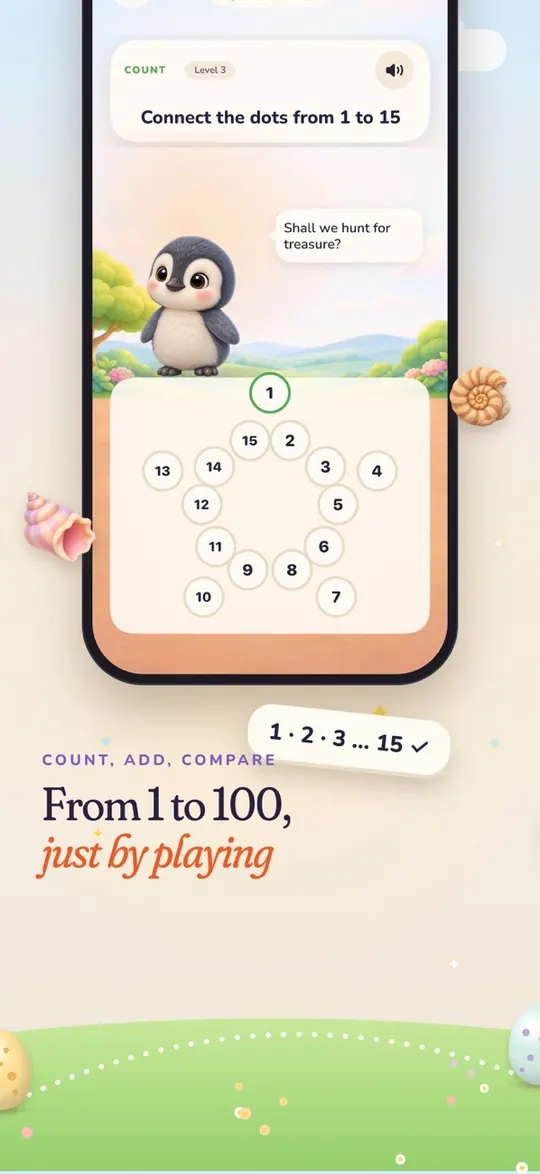
When counting one by one, observe whether they point to each object only once and understand that the last number spoken represents the total. If they recognize three dots without counting them, ask how they saw them. Don't turn recognizing quantities at a glance into a speed competition. Connect-the-dots can reinforce sequences, while memory pairs offer a different kind of challenge; no single task demonstrates mastery of all mathematics.
Coins, clock and scales with real objects
Paying with coins on a screen can open up a toy market at home. Show two ways to reach the same amount and explain the value of each coin. On the clock, compare a full hour with half an hour and point out what each hand indicates on an analog clock if the game uses that format. On the scale, ask what it means for two sides to be balanced: do they weigh the same or do they have the same number of objects? The questions clarify the concept being represented.
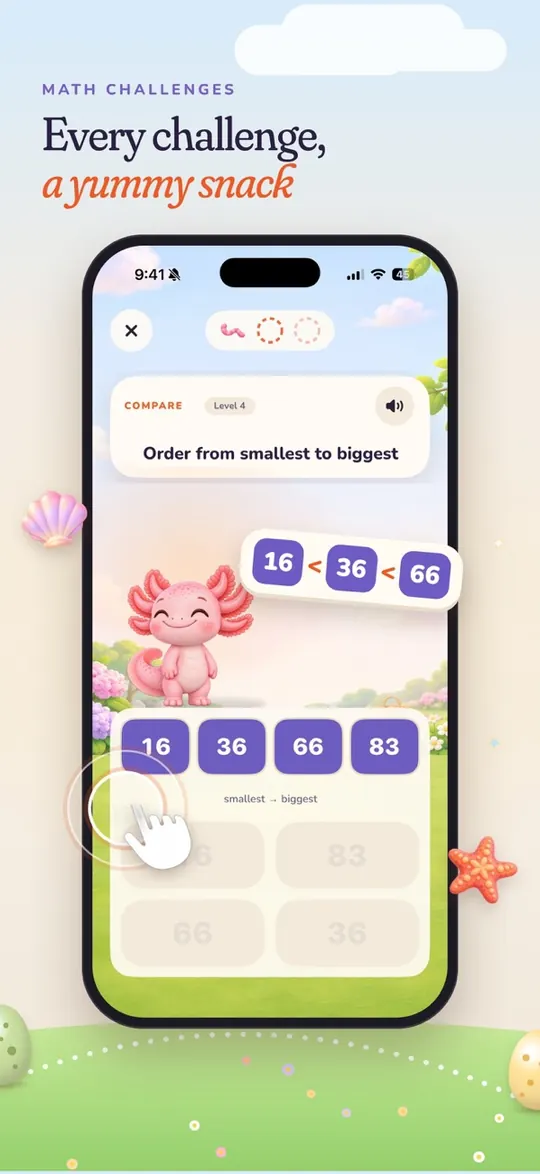
Nidada lists coin, clock, and balance games in its app listing. Not every specific variant of these minigames has been verified, so avoid claiming to cover a specific currency or unit of measurement in all countries. Adults can adapt examples to the local currency and school vocabulary. The EEF recommends that the use of representations be explicitly linked to the concepts; simply dragging pieces can lead to correct answers without understanding.
The game helps when the mathematical idea is understood
A screen can teach counting, but the goal isn't just to tap the correct answer. Ask the child how they knew how many there were or what changed when a piece was added. If they use fingers, drawings, or blocks, they're making their reasoning visible. The Education Endowment Foundation recommends connecting manipulatives with pictures and symbols, rather than expecting a pretty representation to teach on its own. A coin-tossing minigame can spark a conversation about quantities; a digital clock can lead to looking at a physical one.
Nidada offers more than fifteen games according to its app listing, but you don't need to try them all in one session. Choose one that corresponds to a specific skill, observe two or three attempts, and then look for an example off-screen. If the activity is too difficult, lowering the difficulty level allows you to grasp the concept without turning it into a race. If it's too easy, ask for a verbal explanation or change the challenge. Fun and clarity can coexist when the family allows space for reflection.
Clues, mistakes and your own rhythm
The Nidada app listing states that the difficulty increases when the child succeeds and decreases if a task is difficult; an adult can adjust the pace. Mistakes reappear later, and there are hints and explanations. This describes the app's design; it does not guarantee an identical learning outcome for everyone. When observing a mistake, avoid simply saying "try again." Ask if the child confused the symbol, counted a square twice, or didn't understand the story. Then use objects or a drawing to check.
The What Works Clearinghouse recommends systematic instruction, clear mathematical language, representations, and explicit work with word problems. A digital hint can model a step, but an adult can check if the child understands why it works. If they get it right after seeing the solution, offer another similar example before saying they've mastered the topic. If they get frustrated, they should stop the game and come back later. Automatic adjustment is an aid in selecting tasks, not a diagnostic tool for school skills.
Fractions and number line without skipping steps
Painting half of a figure requires understanding that the whole has been divided into equal parts. Before touching a screen, fold paper and compare two halves; then try four quarters. On a number line, walk along a sequence on the floor to visualize distance and direction. Use the app's game as another representation, not as a substitute for concrete experience. Ask what each jump represents and why you arrive at that place.
The app listing includes fractions, number lines, and elementary-level operations within a broad learning path. This doesn't mean a preschooler should immediately start playing with fractions. Choose topics based on understanding and school context, not to unlock a whole new world. If the child needs more time with counting or addition, adjusting the difficulty can help them progress. The advertised learning path goes up to fifth grade, but each skill requires appropriate explanation before moving on.
How to interpret progress without labeling the child
The protected adult zone shows progress in skill according to the app listing. Look for practical patterns: perhaps the child solves problems with blocks but struggles with reading problems, or recognizes whole hours but confuses them with half hours. Note a specific example and discuss their strategy with the child. An internal bar is not an official exam and does not diagnose difficulties. Success may depend on familiarity with the game, attention, or vocabulary.
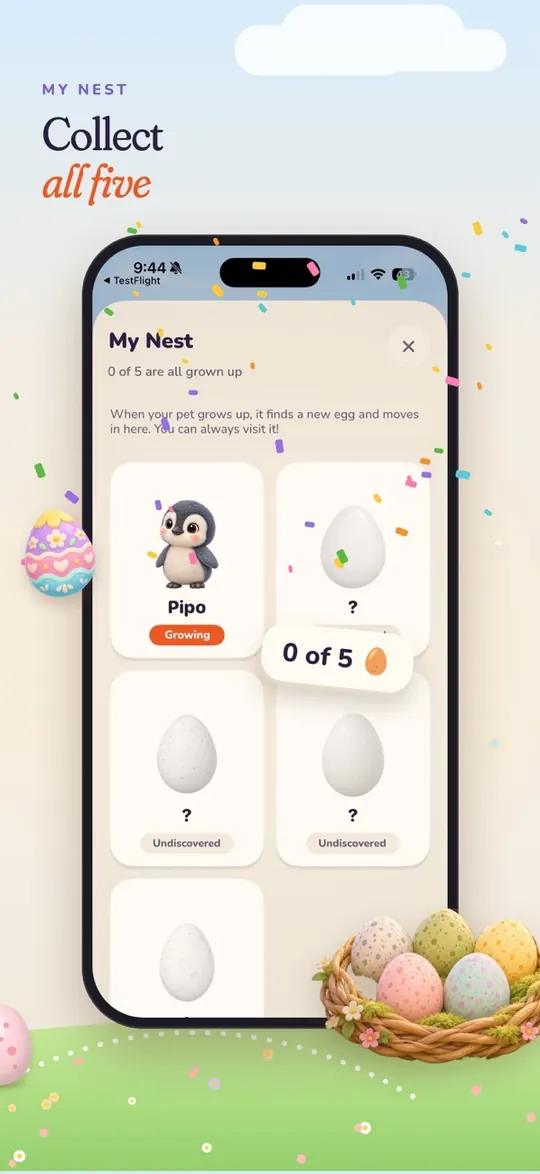

If the pet grows, it finds a new egg and moves to the nest, according to the description. This cycle can encourage continued exploration, but allow the child to revisit an older pet and choose when to stop. The collection doesn't have to dictate family activities. Combine play, reading, objects, and rest. When a need for school support is identified, discussing observable examples with the teacher is often more helpful than communicating only a percentage of an application.
What access includes and what you should check
The App Store listing indicates a free download with in-app purchases: without a subscription, there are free games every day; Nidada Completa allows unlimited play through a monthly or annual subscription, with a three-day trial for the annual subscription, according to the description. Terms and prices vary by region and are subject to change.
The listing also states offline functionality, no ads, and a protected adult area with skill-based progression. Apple indicates that the statement about not collecting data comes from the developer and has not been independently verified.
A small routine at home
Try a short session when the child is in the mood to play, not as a reward for finishing homework. Let them choose a pet and a task; when they finish, ask what they did and apply the same idea to an everyday situation. If they played at paying with coins, set up a small market with toy coins. If they drew fractions, divide a sheet of paper into two and four sections. If they told time, look at a clock at home. This way you can see if they recognize the concept in another context.
Nidada's care activities—feeding, bathing, sleeping, toothbrushing, outings—can motivate a child to return, but they shouldn't turn the practice into an endless obligation. Agree on a time to put the device away, even if the pet asks for something else. Progress shown in the adult area helps decide which activity to repeat, not label the child. If a math difficulty persists and affects school, share specific examples with their teacher to choose appropriate support. An app is a companion; it doesn't replace teaching or conversation.
Frequently Asked Questions
How many pets are there?
The app listing names penguin, axolotl, turtle, duckling, and triceratops.
Are there challenges for those who don't yet read?
The app listing indicates that the numbers can be read aloud and written with a finger.
What age range does it cover?
The app listing describes content from preschool to fifth grade; choose according to the specific skill.
Can I play for free?
Yes, the listing advertises free games every day, with unlimited play in Nidada Completa.
Does the app replace school?
No. It can complement conversations, objects, and teacher instruction.
Sources and scope
Nidada features and access according to its official listing on the Spanish App Store. For the use of materials and drawings, consult the Education Endowment Foundation; for instruction, language, and problems, consult the What Works Clearinghouse. Check current terms and conditions in each store. The app is a practice tool and not a school assessment.