Offline math games for kids: what to check before downloading
Transparency: Nidada is made by AppRadar, the publisher of this website.

NidadaPets & Maths
Offline math games for kids allow practice while travelling or when there's no Wi-Fi, as long as the necessary content is already available on the device. Nidada states on its iPhone listing that it works offline, is ad-free, and offers free games daily.
What does it really mean to work offline
The phrase "works offline" describes how the app works once installed, but it doesn't explain how updates, languages, or purchases are downloaded. Test it at home: open an activity, turn off Wi-Fi and mobile data, close and reopen the app. Check if voice, progress, and selected games are still available. Turn your connection back on after testing. Don't rely on a new app during a flight or long trip without installing and testing it first.
The Nidada product page states that it works offline. The text consulted doesn't specify whether absolutely all functions, subscription activation, or restoring purchases can be done without a network connection. Nor does it allow us to infer that Android behaves exactly the same way. On a shared phone, it checks for free space and battery. The appeal of offline gaming is that it can be used in situations with a poor connection, not that the device replaces a book, a conversation, or a bag of building blocks.
No ads and with a protected adult area
A listing that states "no ads" is relevant for a family that doesn't want commercial interruptions during gameplay. Nidada also advertises a protected adult area with skill-based progression. Test how to access it and whether the purchase options are out of a child's normal reach. A protected area does not replace operating system purchase controls or a review of permissions. Also, check the privacy label and developer policy.
Apple displays a statement on the iOS device listing that no data is collected, accompanied by a clarification: this information comes from the developer and has not been independently verified by Apple. Don't treat this label as a technical audit. If your child uses another family member's device, check how their progress is saved and what happens when they reinstall the app or switch devices. Avoid posting screenshots with their name or school information. Privacy also includes everyday family decisions.
Free every day vs. unlimited play
The listing indicates that there are free games every day without a subscription. Nidada Completa unlocks unlimited play through a monthly or annual subscription; the annual subscription advertises a three-day trial. This distinction is important: "free" does not mean unlimited access to all activities, and "paid" does not mean your child can't return to practice tomorrow. Check the current store screen and consider whether you'll actually need more playtime than what's available for free.

A family can decide to stick with the free access and alternate it with screen-free activities. If they choose a subscription, they should review renewal, trial, cancellation, and Family Sharing compatibility in their country. Don't base a purchase on the promise of improved grades: the description outlines features, not the results of an independent trial. Help your child distinguish between the free option and the paid offer. If the daily play runs out, it might be a natural time to use coins, blocks, or a real watch.
The game helps when the mathematical idea is understood
A screen can teach counting, but the goal isn't just to tap the correct answer. Ask the child how they knew how many there were or what changed when a piece was added. If they use fingers, drawings, or blocks, they're making their reasoning visible. The Education Endowment Foundation recommends connecting manipulatives with pictures and symbols, rather than expecting a pretty representation to teach on its own. A coin-tossing minigame can spark a conversation about quantities; a digital clock can lead to looking at a physical one.
Nidada offers more than fifteen games according to its app listing, but you don't need to try them all in one session. Choose one that corresponds to a specific skill, observe two or three attempts, and then look for an example off-screen. If the activity is too difficult, lowering the difficulty level allows you to grasp the concept without turning it into a race. If it's too easy, ask for a verbal explanation or change the challenge. Fun and clarity can coexist when the family allows space for reflection.
Clues, mistakes and your own rhythm
The Nidada app listing states that the difficulty increases when the child succeeds and decreases if a task is difficult; an adult can adjust the pace. Mistakes reappear later, and there are hints and explanations. This describes the app's design; it does not guarantee an identical learning outcome for everyone. When observing a mistake, avoid simply saying "try again." Ask if the child confused the symbol, counted a square twice, or didn't understand the story. Then use objects or a drawing to check.
The What Works Clearinghouse recommends systematic instruction, clear mathematical language, representations, and explicit work with word problems. A digital hint can model a step, but an adult can check if the child understands why it works. If they get it right after seeing the solution, offer another similar example before saying they've mastered the topic. If they get frustrated, they should stop the game and come back later. Automatic adjustment is an aid in selecting tasks, not a diagnostic tool for school skills.
Plan a trip with varied activities
Before heading out, choose one or two skills the child enjoys, check they work offline, and bring appropriate headphones if the app's audio might disturb others. On a train, they can write a number with their finger or solve a memory pair; at a stop, it's best to put the phone down and move around. The safety requirements of the journey always take precedence over completing a pet mission.
Combine a digital session with simple alternatives: counting windows, comparing shapes, or playing pretend shop. If the child gets frustrated, let them stop. It's unclear from the app listing whether progress can be transferred between devices without an account or a specific restore point, so don't promise synchronization. Offline play can be very useful, but planning for it means checking what's happening on the device you'll be using and accepting that a dead battery might change the plan.
Choosing privacy without losing educational value
Compare an ad-free app to other options, but also see if it explains the operations, how it responds to mistakes, and if it allows an adult to adjust the difficulty. An app can shield a child's attention and offer a challenge that's either too easy or too difficult. Nidada describes hints, error checking, voice feedback, and progress tracking. Test whether the child understands why an answer is correct, not just whether they can take care of the pet.
The Education Endowment Foundation recommends discussing what objects and drawings represent. Ask the child to recreate a problem they just played, off-screen. If they can't, don't immediately conclude that the app is faulty or that the child has a learning difficulty; perhaps another explanation is needed. Privacy policies are an important purchasing criterion, while educational value is assessed through the activity and the ensuing conversation. Keep these two questions separate.
What access includes and what you should check
The App Store listing indicates a free download with in-app purchases: without a subscription, there are free games every day; Nidada Completa allows unlimited play through a monthly or annual subscription, with a three-day trial for the annual subscription, according to the description. Terms and prices vary by region and are subject to change.
The listing also states offline functionality, no ads, and a protected adult area with skill-based progression. Apple indicates that the statement about not collecting data comes from the developer and has not been independently verified.
A small routine at home
Try a short session when the child is in the mood to play, not as a reward for finishing homework. Let them choose a pet and a task; when they finish, ask what they did and apply the same idea to an everyday situation. If they played at paying with coins, set up a small market with toy coins. If they drew fractions, divide a sheet of paper into two and four sections. If they told time, look at a clock at home. This way you can see if they recognise the concept in another context.
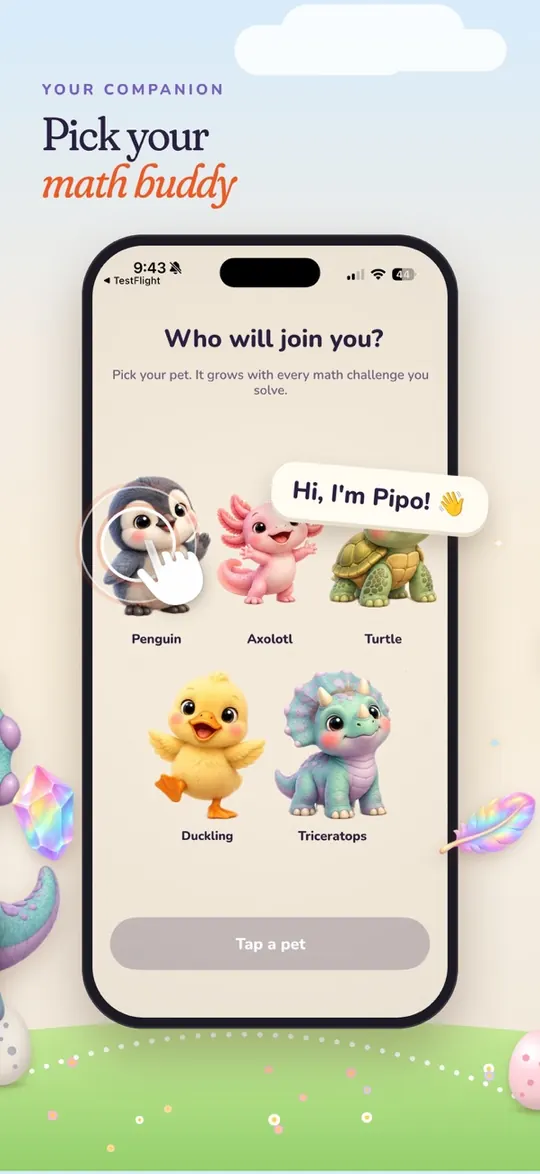
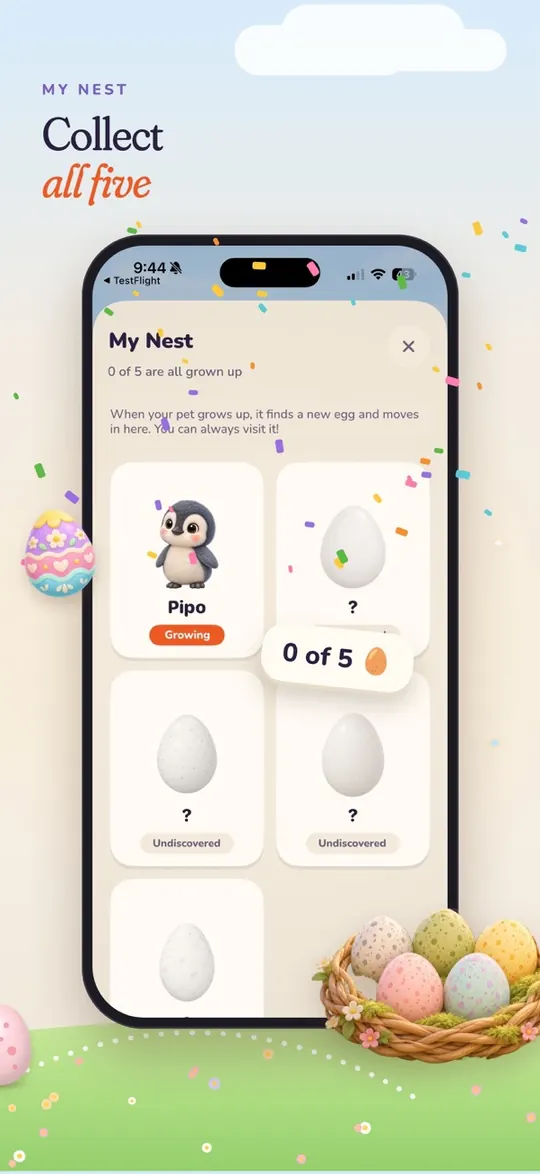
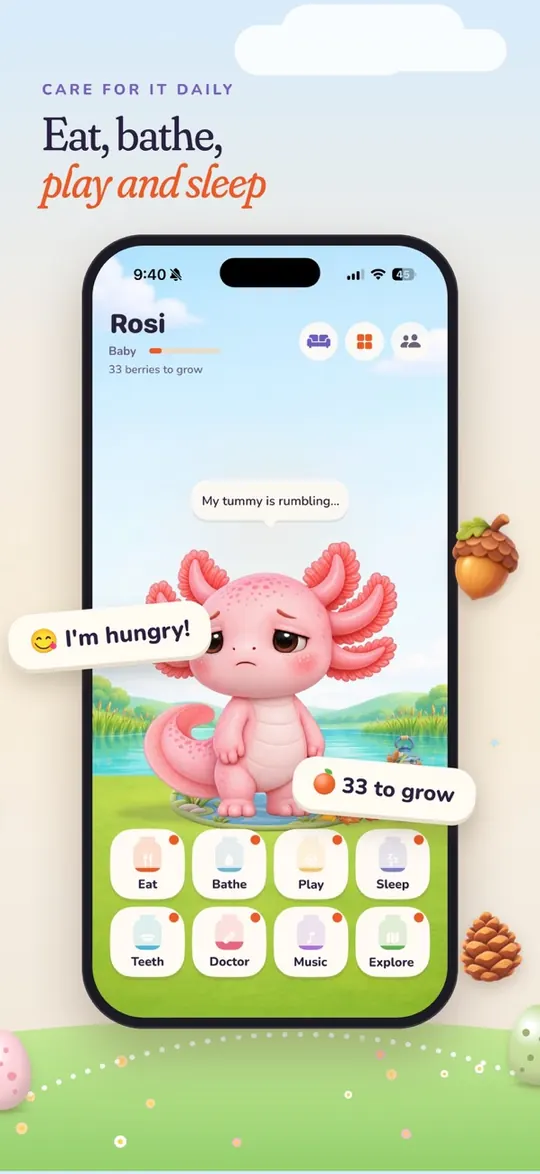
Nidada's care activities—feeding, bathing, sleeping, toothbrushing, outings—can motivate a child to return, but they shouldn't turn the practice into an endless obligation. Agree on a time to put the device away, even if the pet asks for something else. Progress shown in the adult area helps decide which activity to repeat, not label the child. If a math difficulty persists and affects school, share specific examples with their teacher to choose appropriate support. An app is a companion; it doesn't replace teaching or conversation.
Frequently Asked Questions
Does Nidada work without Wi-Fi?
The iOS listing says yes; try the specific activities before travelling.
Does it have ads?
The app listing says no.
Can it be used for free for more than one day?
Yes, free games are announced every day.
Is a subscription required?
No subscription is needed for those games; Nidada Completa offers unlimited play.
Does Apple verify the declared privacy?
Apple indicates that this information is provided by the developer and is not independently verified.
Sources and scope
Nidada features and access according to its official listing on the Spanish App Store. For the use of materials and drawings, consult the Education Endowment Foundation; for instruction, language, and problems, consult the What Works Clearinghouse. Check current terms and conditions in each store. The app is a practice tool and not a school assessment.