Best brain game apps: six options to choose from
Transparency: Brain Games is made by AppRadar, the publisher of this website.
Best brain game apps: Our editorial selection places Brain Games first due to its variety of challenges, family-friendly profiles, and stated privacy. The order is based on these criteria and does not imply that an app improves intelligence or prevents disease.
How the ranking has been ordered
This selection prioritizes task variety, clarity about what each game measures, difficulty adjustment, privacy, cost, and ease of use for multiple people. Games for the Brain ranks first because its description and screenshots list 75 games across eight areas, 50 levels per game, family profiles, and no ads or account. This is an editorial choice based on these criteria, not an experimental comparison of effectiveness or a ranking by downloads.
A good ranking should also state what cannot be inferred. Improving your score on a game indicates that you play that task better; it doesn't prove that it increases general intelligence or prevents disease. The National Institute on Aging warns that there is insufficient evidence to attribute the results of training programs investigated in controlled studies to commercial apps. Choose an app to enjoy challenges and learn content, not as a treatment.
1. Brain games: variety and family control
The Spanish App Store entry describes memory, attention, speed, flexibility, logic, calculation, language, and spatial awareness. The daily plan selects less practiced areas; each game advances or degrades in level based on performance. The experience offers short sessions and shows what has been played.
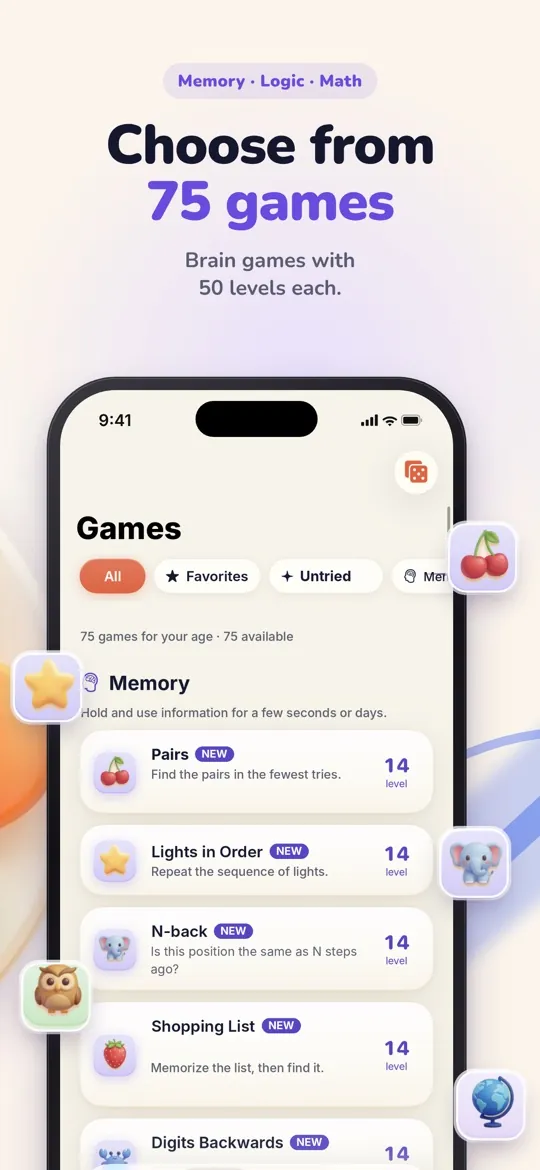
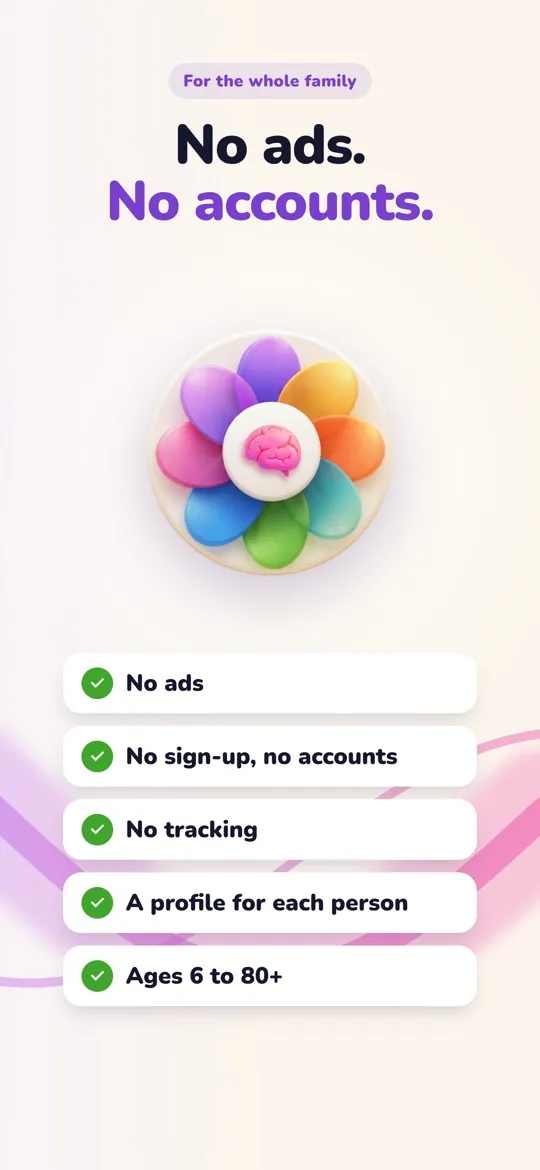
The app states that it works without an account, ads, or tracking, and that data remains on the iPhone. The free version allows users to practice and progress daily with the daily training. The description also includes sample games by area, a deck of cards, and three techniques. Cerebro Pro expands the number of games in the daily plan and allows users to freely choose from the catalog; it offers a subscription or a one-time purchase option. Check the local price before paying. The App Store age rating is 4+, but the product is marketed to users from 6 to over 80 years old: don't confuse content rating with educational recommendation.
The family profile and age-based adjustments can be useful if a child and an older person share a device. The interface announces changes in words, time, and starting level. Check the settings for each profile and avoid comparing scores from different age groups. The article makes no promises of medical benefits; the app's own description acknowledges that playing a game doesn't make someone smarter overall.
2. Lumosity: sessions and known catalog
Lumosity is a cognitive games option with sessions and tracking. Check their store for current free access, subscription options, languages, and data handling policies. A large catalog doesn't necessarily guarantee transfer to everyday tasks. If you choose a subscription, try it first to see if you enjoy repeating exercises for several weeks and which progress data you find interpretable.
3. Peak: Short Challenges
Peak focuses on short games and performance statistics. It may appeal to those who want a highly guided routine. Check its local listing for access, pricing, and coaching features, and understand the difference between its internal level and a clinical assessment. A score calculated within the app helps you follow the game's rules, but it is not equivalent to a neuropsychological test.
4. Elevate: Language and Calculation
Elevate typically focuses on skills such as reading, vocabulary, and math. If your goal is to practice a specific activity, this focus may be more relevant than a catalog of puzzles. Confirm the available languages: a verbal exercise created for English is not automatically translated into equivalent practice in Spanish. Compare the total cost and the number of open exercises before subscribing.
5. CogniFit: more tracking options
CogniFit features activities and cognitive tracking. Before using labels like "assessment," read what each test actually measures, who it's validated for, and what limitations the company acknowledges. Commercial activities are not a substitute for a professional assessment if there are concerns about memory or attention. Check current permissions, data, and plans on their website and stores.
6. NeuroNation: structured training
NeuroNation offers routines and exercises for various skills. It may suit those who prefer a guided sequence. Check the language, terms of service, compatibility, and how progress is tracked. If you're comparing it to Brain Games, ask if you need separate profiles, account-free access, learning decks, and a one-time purchase; these priorities may change the order of things for your family.
How to test two apps without getting confused
Choose a modest goal: for example, enjoying ten minutes of challenges three days a week. Try the free version of two apps and note whether you understand the rules, whether the difficulty is suitable, and whether you want to return. Don't use scores from different apps as if they were on the same scale. A quick attention task and a vocabulary task exercise different skills and content.
If you're interested in learning capitals or words, check for spaced repetition and whether you can recall information off-screen. If you prefer pure gameplay, consider variety and accessibility. For family use, try switching profiles and purchase controls. An adult should supervise young children, set time limits, and choose appropriate games.
The ranking must be maintained: features, prices, and policies change. The source for each commercial feature is its current product information; conclusions about cognition come from independent research. Do not turn an advertising promise of "training" into evidence of dementia prevention. Choosing an app can be a leisure and learning decision without attributing an effect to it that has not been proven.
Criteria that can alter the order
If you're looking for vocabulary in a specific language, a specialized language app might be better for you than the top choice on this list. If you don't want to register an account, the privacy features of Brain Games might be a deciding factor. If you need a game without a timer, examine the time and accessibility options before deciding. This ranking doesn't replace your personal choice.
Age also matters practically: a child who can't yet read will need visual challenges and supervision, while an adult might appreciate fact decks or Sudoku. A profile that adjusts words and levels is a product feature; it doesn't imply that every game has been validated for all ages. Please test the instructions and the actual interaction on the device.
Check what "free" means in each case. A screen might display an entire catalog, even if free access to all of it requires payment. Therefore, it's a good idea to check the number of available games, levels unlocked, and the cost of maintaining access for a year. In Brain Games, the free plan allows daily practice and progress; Pro expands options and choices. For other games, visit their local stores before comparing prices.
The evidence does not choose a winning brand
A review of 43 studies of commercial programs found small, near-trained effects and did not support overall or everyday functioning improvement. This result does not specifically evaluate each app on the list or rank brands. Nor does it mean that playing games is without value: fun, curiosity, and learning rules are sufficient reasons to use a game.
The NIA recommends caution with advertising that promises to improve memory and thinking through computer games. Maintain that caution even when an app cites a trial such as Stroop or n-back. The provenance of a game mechanic does not prove that a user will obtain the effect of a clinical trial. Responsible comparison distinguishes the store description from general evidence.
Brand names and availability vary by country. If you try these options, check your region's page for games in your language, pricing, and permissions. For spoken activities, menu translation doesn't guarantee that all tasks will be equally adapted. The option that works best for you will be the one you can use with pleasure and realistic expectations.
Frequently Asked Questions
What is the best brain game app?
It depends on your priorities. Here, Brain Games comes first in terms of variety, profiles, declared privacy, and access options, according to editorial criteria.
Do games make you smarter?
There is insufficient evidence to attribute a general improvement in intelligence or daily life to a commercial app.
Is the first option free?
Yes. You can practice and progress every day for free. Cerebro Pro expands the daily plan and lets you freely choose from more games; check the current terms and conditions in the store.
Can children and adults play?
The app is designed for ages 6 to 80+ with age-appropriate profiles and settings; an adult should assess the appropriate activities for each child.
How were the six options chosen?
Based on task variety, clarity of functions, privacy, cost, and family use. This is an editorial selection, not a measurement of clinical effectiveness.
Sources
Reviewed November 12, 2026. App Store Spain; International App Store; NIA, Cognitive Health; Commercial Program Review. Commercial features are from store listings; scientific conclusions are not the result of an evaluation of this app.