Arrive-on-time alarm: work out when to wake up and when to leave
Transparency: Beepo is made by AppRadar, the publisher of this website.

BeepoAlarm Clock & Shifts
An alarm to arrive on time means starting from the time you need to be at a place and working backwards through the journey and the time you need to get ready. Beepo offers this calculation and a reminder to leave home, according to its App Store listing.
Start with a specific arrival time
“I have to leave early” is a difficult intention to schedule. “I need to be there at 8:30” allows you to subtract steps. Note the arrival time, not just the time the activity starts: perhaps you need to enter the building, collect materials, or find a room. Then estimate the journey from your door to the exact location and the time to get dressed, have breakfast, or prepare others. Beepo describes this reverse calculation as the heart of the app.
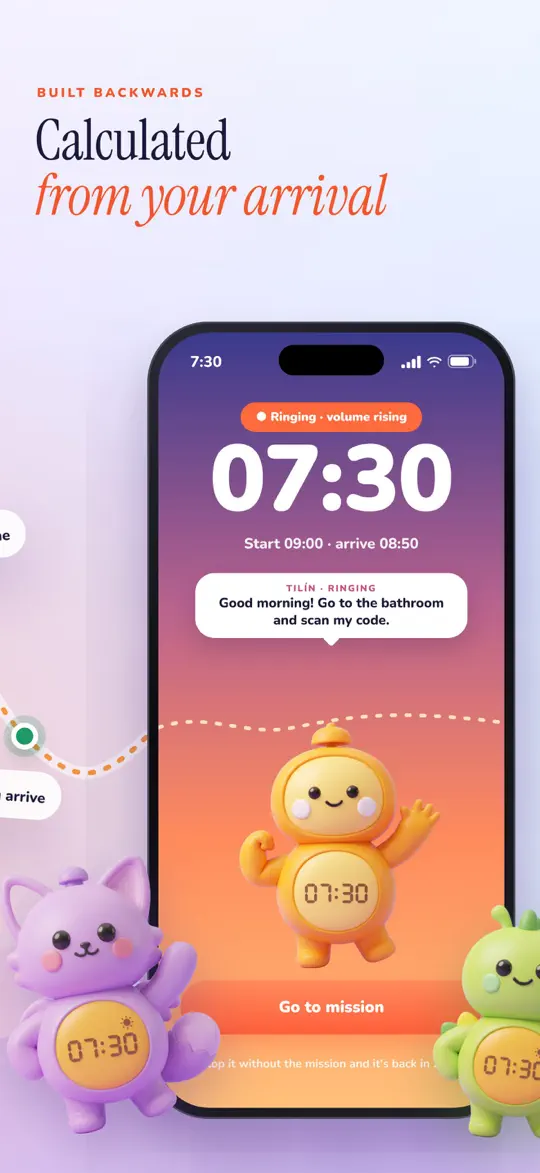

The result is only as good as the data. A typical twenty-minute journey can take forty with rain, breakdowns, or school traffic. If you rely on a train, factor in walking to the station and an alternative plan if you miss it. Review your estimate regularly and don't turn an attractive calculation into a promise of punctuality. For appointments that can't be postponed, add an explicit margin and confirm reminders the night before.
Step-by-step numerical example
Let's assume an arrival time of 9:00, thirty minutes for travel, forty for preparation, and fifteen minutes of buffer time. To leave at 8:15, subtract the travel time and buffer time from the arrival time. To wake up at 7:35, subtract the preparation time. This is an arithmetic example: change each figure to reflect your reality. If you need five minutes to find your keys or go down to the car, include them where appropriate.
Don't use the margin as an excuse to go to bed later. The alarm can be fitted to the morning's tasks, but the sleep available depends on your bedtime and your circumstances. If, when you do the math, you find you'd have to get up before you've had enough rest, review what preparations you can get done the night before or if you can reschedule the appointment. Don't sacrifice sleep to make the plan seem perfect.
Distinguish between the wake-up alarm and the departure reminder
A wake-up alarm answers the question, "When do I start?". A departure reminder answers the question, "When do I walk through the door?". Small interruptions can accumulate between the two. Beepo's description says it calculates the first moment and alerts you when it's time to leave. Check how both reminders are presented and whether you hear them on your device. If you need to stop to pick someone up, define whether that time belongs to the journey or to getting ready; the essential thing is to count it once and not forget it.
On a busy morning, make a short list: documents, keys, prescribed medications if needed, and your route. Don't turn the list into another endless task. As the departure time approaches, drop any optional activities. If your screen shows a streak of punctuality, consider it an internal record, not a moral judgment. Arriving on time depends on shared factors and unforeseen events that no app can control.
What to do when the route is variable
If you're driving, tell apart the journey time on a quiet day from the usual time at that hour. If you're taking the bus, factor in travel time to the bus stop, waiting time, and the final leg of the journey. If you're cycling, add time for parking or changing. Beepo's calculation accepts the travel time you provide; you decide how much leeway is appropriate. For new destinations, check the route before going to bed and review any traffic updates upon waking, if available.
A buffer doesn't always mean getting up an hour earlier. It can mean packing your bag and clothes the night before, knowing about an alternative train, or agreeing on a clearer meeting point. After several trips, compare your estimate with the actual time and adjust just one variable. Avoid chasing an exact figure for every minute: planning is about reducing surprises, not eliminating all uncertainty.
What Beepo does and what you should check
Beepo presents itself as an alarm clock that calculates the alarm time based on your expected arrival time, route, and preparation time. Its App Store listing describes missions to turn it off, rotating shifts, and a mascot that displays the next alarm. These are features listed by the developer, not a guarantee of always being on time. Before relying on a new alarm, test its sound, volume, permissions, and functionality on your own phone for a day without any important commitments. Also, check the compatible operating system, notification options, and the current store terms and conditions.
The Spanish App Store listing says Beepo requires iOS 26 or later and that alarms sound even when the iPhone is on silent. The Google Play listing describes the same core features (the arrival-time alarm, the code mission, steps, the check 15 minutes later, the emergency exit, rotating shifts and sleep tools) and says alarms sound even when the phone is on silent or locked. Even so, every phone handles permissions, battery saving and notifications differently: test it on yours before you rely on the alarm.
Free, Pro and privacy
According to the App Store and Google Play listings, the arrival-time alarm, the code mission, steps, rotating shifts and the emergency exit are free forever. What Beepo Pro adds is not the same in both stores: on iPhone, the memory, phrase, math and shake missions; on Android, the memory, phrase and shake missions, the Hard level, the Mishi, Blu and Rex mascots, more sounds, more places and your monthly progress. Both listings offer a yearly subscription with a 7-day free trial or a monthly one, and the Google Play listing also mentions a one-time payment. Prices and terms can vary by country: always check the purchase screen before you accept. The basic features do not depend on a subscription.
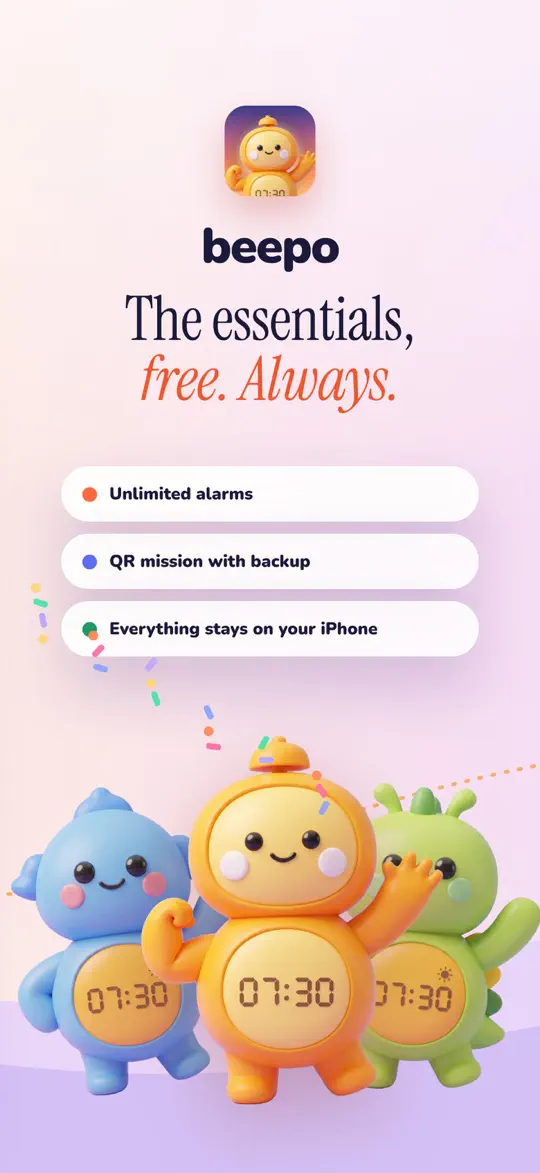
Both listings state that Beepo requires no account, shows no ads and does no tracking, and that everything stays on the phone. The App Store privacy label says “Data Not Collected”, and the Google Play data safety section says no data is collected or shared with third parties. Apple and Google point out that this information comes from the developer and is not an independent check. Not needing an account can make it easier to get started, but check what happens to your settings when you change phones or reinstall the app.
Keep snoozing from undermining the calculation
The reverse calculation assumes you get up at the scheduled time. If you snooze for ten minutes three times, the margin disappears without the route changing. Beepo doesn't have a snooze button and suggests scanning a home code or walking a few steps to turn it off. Then it asks if you're still awake, according to the listing. These are mechanisms designed to make the start time visible; they don't replace a sufficient night's sleep.
Put the code somewhere safe and easy to reach that makes sense for you. If this is inconvenient or you have mobility limitations, use the appropriate alternative. The emergency exit allows you to stop the alarm and prepare a message for a trusted person. It may be more honest to report an unforeseen event than to insist on a punctuality streak. The practical goal is to have clarity about the time available, not to outrun the phone.
When you arrive late despite the plan
First, check for a recurring cause: underestimated preparation time, inconsistent transportation, misunderstood arrival time, or an alarm you don't hear. Adjust the relevant factor without changing everything at once. If a child takes longer to get dressed or a shift ends late, incorporate that into the plan. Punctuality statistics can help you observe your own patterns, but they don't measure your responsibility or show all the circumstances.
If the delay occurs today, notify the affected person when it is safe to do so and provide a realistic estimated time. Do not use your mobile phone while driving. Afterward, review the plan calmly; a difficult morning doesn't warrant a new subscription or a more complicated mission. In cases of persistent drowsiness, setting an alarm is not a substitute for getting enough rest and seeking appropriate guidance. A useful tool facilitates decisions; it doesn't attribute every delay to a lack of willpower.
Rest and limits of any alarm clock
An alarm can organize the start of your day, but it doesn't replace getting enough sleep. The CDC's NIOSH explains that shift work and long hours can increase fatigue, disrupt sleep, and reduce alertness. A challenge to dismiss the alarm on your phone doesn't, in itself, prove that a person will be alert to drive or work. If you feel intensely drowsy, make safety decisions appropriate to your situation and seek professional help when necessary.
Sleep cycle calculators and breathing exercises can serve as routine tools, but an estimated number doesn't guarantee waking up rested. The amount of sleep and tolerance for schedule changes vary. The rule of thumb is to secure a realistic period of rest before optimizing alarm minutes. Anyone with persistent insomnia, snoring with breathing pauses, or sleepiness that affects their daily life should speak with a professional. Beepo can help manage schedules; it is not a sleep treatment.
How to try it for a week
Choose a low-risk morning and set the alarm in advance. Check if the tone is audible, what happens when you lock the screen, and how the chosen mission is completed. The next day, change only one variable, for example, the preparation time. On subsequent days, test the departure alert and a day off. Note whether the calculation accurately reflects your commute and if you need extra leeway for traffic, elevators, children, or public transportation.
At the end of the week, ask yourself what helped: knowing when to leave, avoiding snoozing, keeping the code away from your bed, or reviewing your schedule. There's no need to attribute a universal improvement to the app. If an alarm-dismissal task is inaccessible or unsafe first thing in the morning, choose the walking mission or use the backup described in the listing. Configure the necessary permissions and a backup alarm for critical appointments. A test in your specific context is worth more than promising absolute punctuality.
Frequently asked questions
How is the alarm calculated?
Travel and preparation time is subtracted from the arrival time, with the margin you decide.
Does Beepo notify you when to leave?
Its iPhone listing says so. Try it on your phone before relying on that reminder.
Can I use it with shifts?
The app listing describes rotating shift patterns and calendar import.
Is the arrival function free?
Yes, it's listed among the free essential features in the iPhone listing.
Does the app guarantee on-time arrival?
No. The calculation depends on your data, the route, and possible unforeseen circumstances.
Sources and scope
Features, plans and privacy according to the Beepo listing on the App Store and the Beepo listing on Google Play, checked on November 13, 2026; information on work-related fatigue from the CDC's NIOSH. Check the current terms in each store.