QR code alarm clock: how to get up without hitting snooze
Transparency: Beepo is made by AppRadar, the publisher of this website.

BeepoAlarm Clock & Shifts
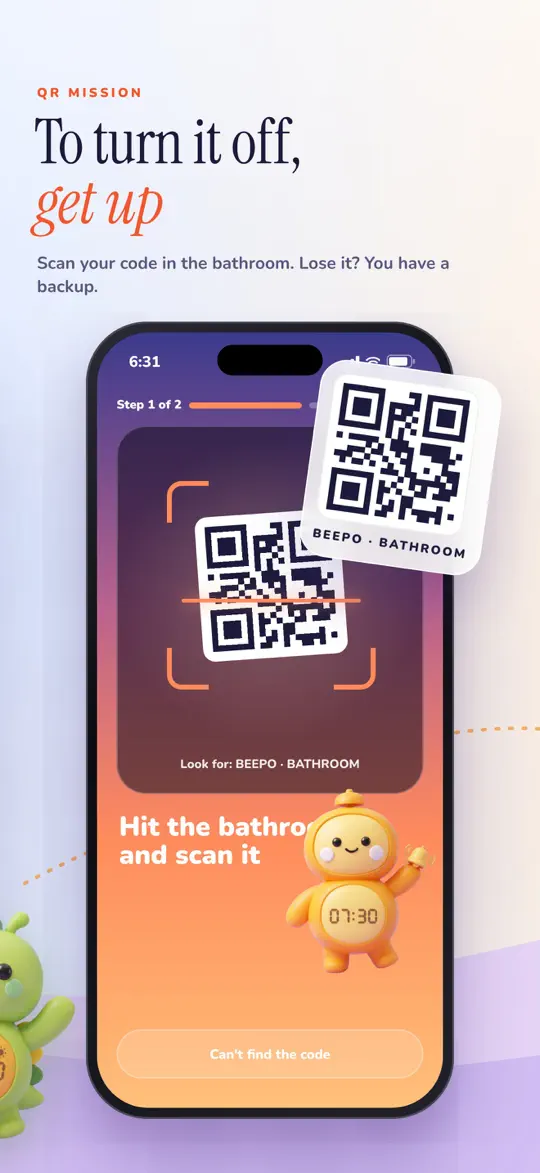
A QR code alarm clock is an alarm that turns off when a code placed away from the bed is scanned. Beepo lets you use a barcode or QR code you already have at home and offers walking a few steps as an alternative, according to its iPhone listing.
Why scanning a code changes how you turn off the alarm
When your phone is within easy reach, turning off an alert can become almost automatic. A code placed in the bathroom or next to your breakfast adds a simple physical action between the sound and going back to bed. The idea isn't to punish the user: it's to choose a cue that makes them leave the room and make a conscious decision. You can use the code on a bottle, a package, or a book, as long as it stays in a stable place. Beepo's listing says you don't need to print anything.
Do not overstate what this mechanism can do. Walking to the bathroom doesn't eliminate sleep debt or guarantee you'll stay awake. If someone went to bed too late, they can fall back asleep after scanning. The useful question is whether this minor inconvenience fits into their routine. A code placed far away might bother others; one on the nightstand makes little difference. Position it where you can safely reach it, in sufficient light, and without tripping.
Configure the mission before you need it
Choose an object that isn't thrown away, consumed, or moved every week. If you use an empty container, its code will no longer be available. Do a test scan during the day and check that the camera reads the code correctly in your usual morning light. Keep the path clear and avoid leaving your phone where an alarm could wake up the whole house. Before going to sleep, check the next alarm the app shows on the mascot and confirm the day and time.
The listing mentions a backup if you lose the code. Check beforehand where it's located and how to use it, especially if you're traveling. A wake-up mission should not become a barrier to silencing an alarm in an emergency. If you share your home, explain to the people concerned why a code is kept in a particular spot. The best setting is the one that works without adding anxiety or obstacles when you're still drowsy.
QR codes, barcodes, and steps: choose wisely
The mission doesn't require creating a special QR code. According to the App Store, any barcode or QR code you choose from around your home will work. This avoids having to print and stick a piece of paper on the wall. However, check that the object still has the same code and that you can access it every morning. If you'd rather not use the camera, the app listing offers the option of walking a few steps. This option might feel more natural if you sleep away from home or share a bathroom.
One solution doesn't work for everyone. If the camera is difficult to use, if you have reduced mobility, or if the route includes stairs, select a suitable mission or use a conventional alarm clock. Test the camera and motion permissions your phone requests. An alarm should help you start your day safely. Difficulty alone isn't a virtue: an excessive challenge can lead to disabling the app altogether.
The check fifteen minutes later
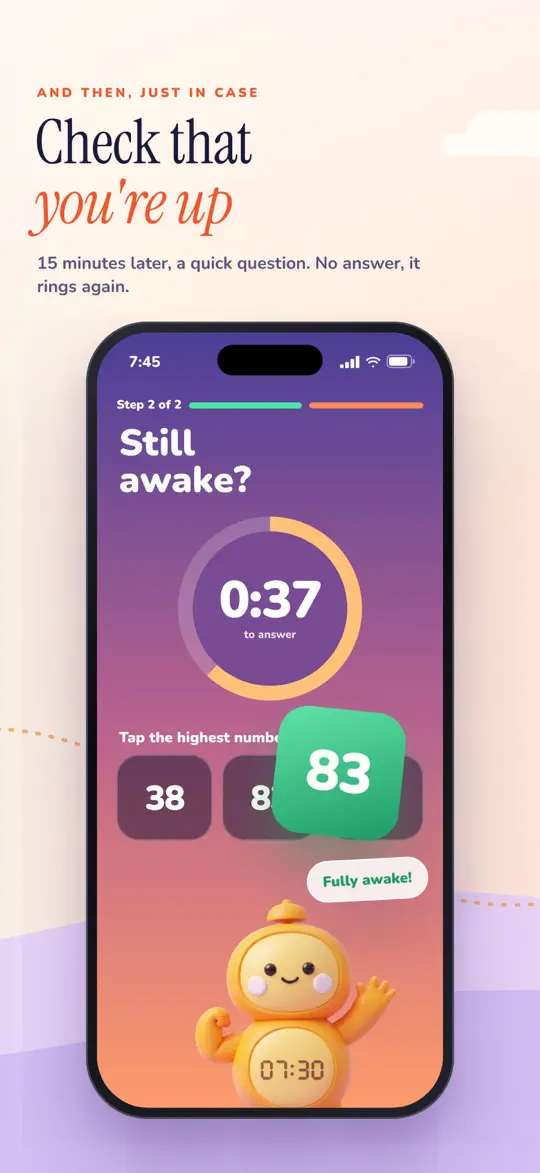
Beepo describes a check-in approximately fifteen minutes after dismissing the alarm: it asks if you're still awake and sounds again if you don't respond. For someone who often goes back to bed, this second checkpoint might be more useful than increasing the initial volume. Check how the question appears and what notification permission it requires. During your first test, do not rely on this confirmation for an important appointment until you have seen how it works on your device.
Plan what you'll do between the two alarms. Drinking water, opening the curtains, or laying out your clothes can give structure to those minutes, if it fits into your life. Avoid describing this sequence as a cure for drowsiness. If you were sleep-deprived, the second alarm can tell you that you've lain down again, but it can't make up for lost hours. Allow yourself a reasonable amount of time and consider postponing risky activities if you're not up to it.
What Beepo does and what you should check
Beepo presents itself as an alarm clock that calculates the alarm time based on your expected arrival time, route, and preparation time. Its App Store listing describes missions to turn it off, rotating shifts, and a mascot that displays the next alarm. These are features listed by the developer, not a guarantee of always being on time. Before relying on a new alarm, test its sound, volume, permissions, and functionality on your own phone for a day without any important commitments. Also, check the compatible operating system, notification options, and the current store terms and conditions.
The Spanish App Store listing says Beepo requires iOS 26 or later and that alarms sound even when the iPhone is on silent. The Google Play listing describes the same core features (the arrival-time alarm, the code mission, steps, the check 15 minutes later, the emergency exit, rotating shifts and sleep tools) and says alarms sound even when the phone is on silent or locked. Even so, every phone handles permissions, battery saving and notifications differently: test it on yours before you rely on the alarm.
Free, Pro and privacy
According to the App Store and Google Play listings, the arrival-time alarm, the code mission, steps, rotating shifts and the emergency exit are free forever. What Beepo Pro adds is not the same in both stores: on iPhone, the memory, phrase, math and shake missions; on Android, the memory, phrase and shake missions, the Hard level, the Mishi, Blu and Rex mascots, more sounds, more places and your monthly progress. Both listings offer a yearly subscription with a 7-day free trial or a monthly one, and the Google Play listing also mentions a one-time payment. Prices and terms can vary by country: always check the purchase screen before you accept. The basic features do not depend on a subscription.
Both listings state that Beepo requires no account, shows no ads and does no tracking, and that everything stays on the phone. The App Store privacy label says “Data Not Collected”, and the Google Play data safety section says no data is collected or shared with third parties. Apple and Google point out that this information comes from the developer and is not an independent check. Not needing an account can make it easier to get started, but check what happens to your settings when you change phones or reinstall the app.
No snooze button, with an emergency exit
The listing presents Beepo as an alarm without a snooze button. Its emergency exit lets you stop the alarm and drafts a message for a trusted person you choose. Don't read this as an automatic text: the description talks about drafting a message. Check the steps in the app before you need it. On a morning of illness, an unexpected event, or travel, having a clear exit strategy is more important than maintaining a streak of punctuality.
Choose a trusted contact, let them know, and agree on what to expect: an app shouldn't replace direct communication or create unnecessary pressure. If you're going to be late, explain what happened and your new estimated time when you can. A game mechanic with a pet and streaks can be motivating, but real life includes unexpected events. The option to cancel honestly prevents the system from becoming a trap. The goal is a sustainable routine, not obeying a screen at any cost.
Mascots and motivation without magic promises
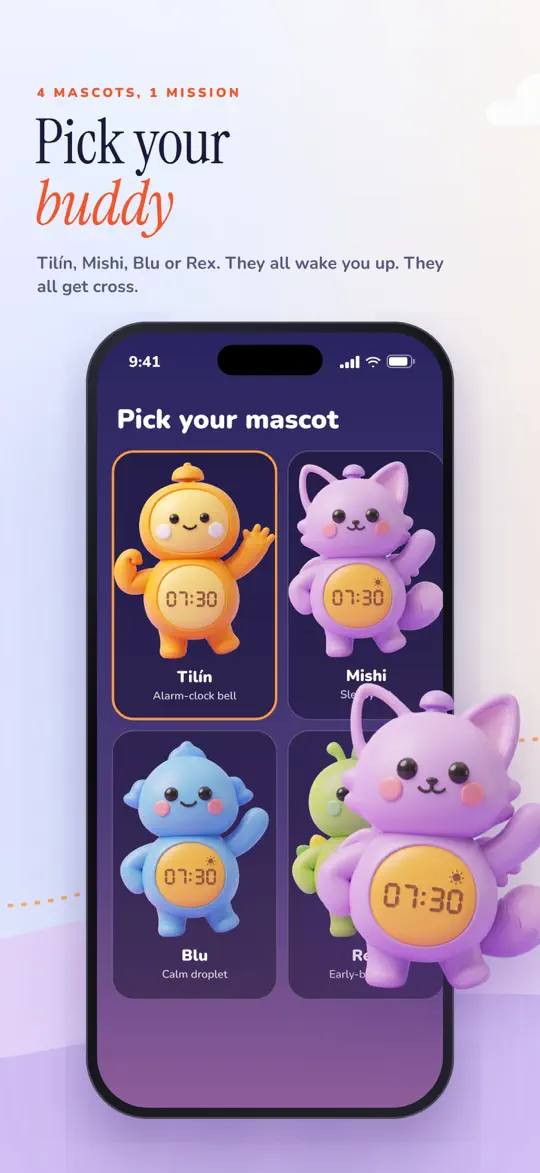
Tilín, Mishi, Blu, and Rex are the mascots named in the listing. They yawn, dance, and react when you wake up; the next alarm is displayed on their bellies. This friendly layer can make it easier to check the app again at night. It doesn't prove that an animation alone will change your sleep habits. Use it as a visual reminder of your chosen schedule and see if you still find it enjoyable after a week.
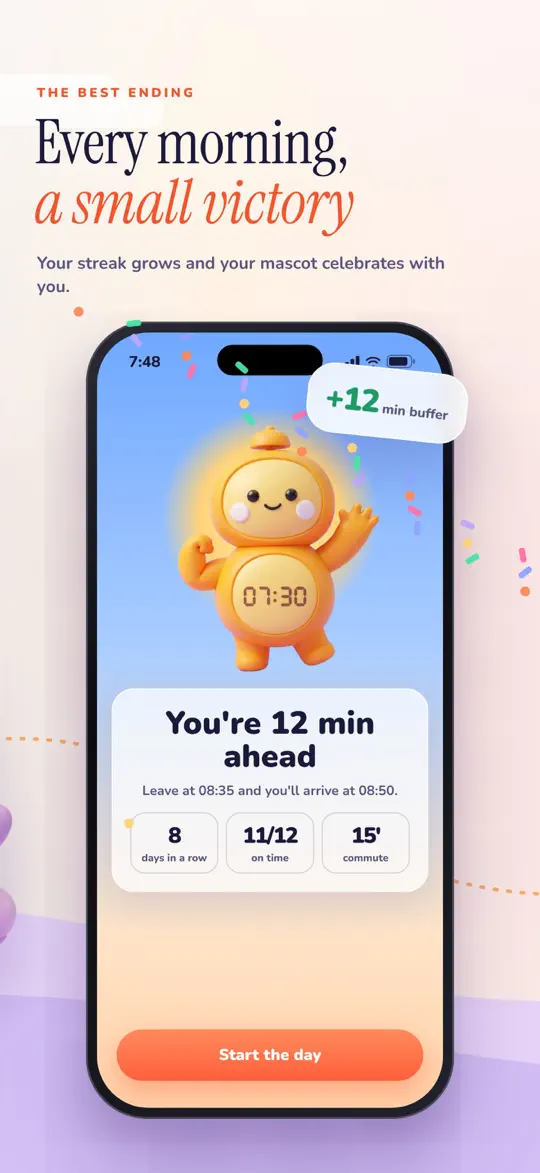
If gestures or sounds distract you, focus the settings on the alarm, the code, and the departure reminder. The most important interaction happens before going to sleep: setting a realistic time, planning your route, and preparing the object you'll scan. The character can make a repeated gesture more endearing, but it shouldn't obscure the limitations of the method. A punctual morning can depend as much on your bedtime as on the mission to dismiss the alarm on your phone.
Rest and limits of any alarm clock
An alarm can organize the start of your day, but it doesn't replace getting enough sleep. The CDC's NIOSH explains that shift work and long hours can increase fatigue, disrupt sleep, and reduce alertness. A challenge to dismiss the alarm on your phone doesn't, in itself, prove that a person will be alert to drive or work. If you feel intensely drowsy, make safety decisions appropriate to your situation and seek professional help when necessary.
Sleep cycle calculators and breathing exercises can serve as routine tools, but an estimated number doesn't guarantee waking up rested. The amount of sleep and tolerance for schedule changes vary. The rule of thumb is to secure a realistic period of rest before optimizing alarm minutes. Anyone with persistent insomnia, snoring with breathing pauses, or sleepiness that affects their daily life should speak with a professional. Beepo can help manage schedules; it is not a sleep treatment.
How to try it for a week
Choose a low-risk morning and set the alarm in advance. Check if the tone is audible, what happens when you lock the screen, and how the chosen mission is completed. The next day, change only one variable, for example, the preparation time. On subsequent days, test the departure alert and a day off. Note whether the calculation accurately reflects your commute and if you need extra leeway for traffic, elevators, children, or public transportation.
At the end of the week, ask yourself what helped: knowing when to leave, avoiding snoozing, keeping the code away from your bed, or reviewing your schedule. There's no need to attribute a universal improvement to the app. If an alarm-dismissal task is inaccessible or unsafe first thing in the morning, choose the walking mission or use the backup described in the listing. Configure the necessary permissions and a backup alarm for critical appointments. A test in your specific context is worth more than promising absolute punctuality.
Frequently asked questions
Do I need to print a QR code?
No. The listing says you can choose a barcode or QR code from an item you already have at home.
Can I turn off the alarm without scanning?
The app listing offers a walking mission and describes a backup option and an emergency exit; check how to set them up on your device.
Does it have a snooze button?
Beepo presents itself as an alarm without a snooze button.
Is the code-scanning mission free?
The iPhone listing includes it among the free essential features.
Does scanning guarantee I won't fall asleep again?
No. Getting out of bed helps change your surroundings, but it doesn't replace getting enough rest.
Sources and scope
Features, plans and privacy according to the Beepo listing on the App Store and the Beepo listing on Google Play, checked on November 13, 2026; information on work-related fatigue from the CDC's NIOSH. Check the current terms in each store.