Letruga: learn-to-read app with phonics, games and stories
Transparency: Letruga is made by AppRadar, the publisher of this website.

LetrugaLearn to Read
Letruga has its own reading course in English, built on synthetic phonics for English sounds and spelling: it is not just a translated interface.
What is Letruga and who is it for
Letruga is an early reading app for children, available on Google Play and the App Store. The English listing describes it for ages 3 to 7, while the Spanish description outlines a progression from letter sounds to early stories. The recommended age does not replace an assessment of the child's existing knowledge and the instruction they receive at school.
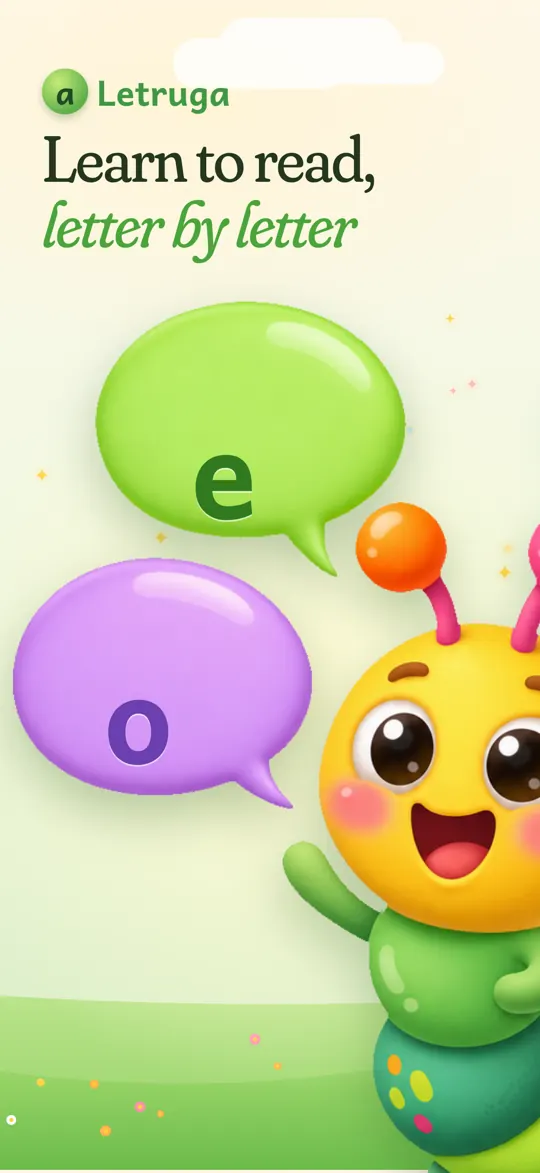
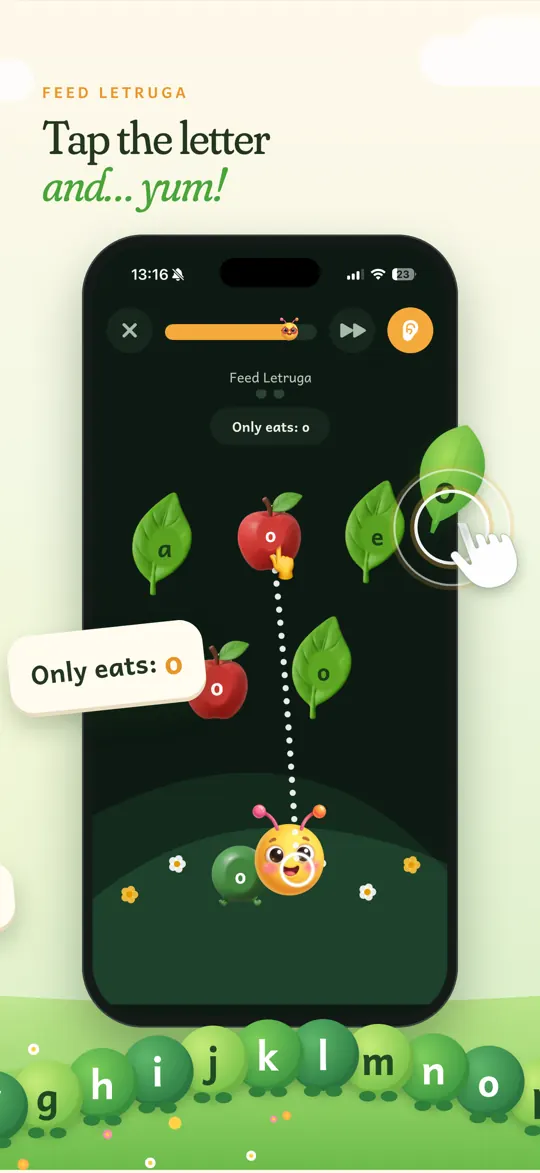
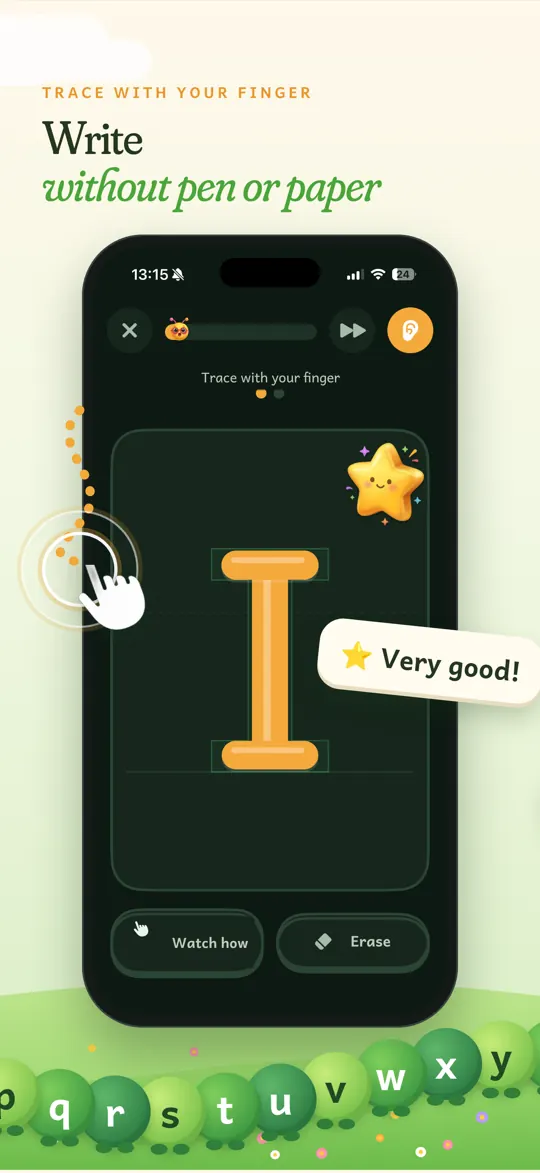
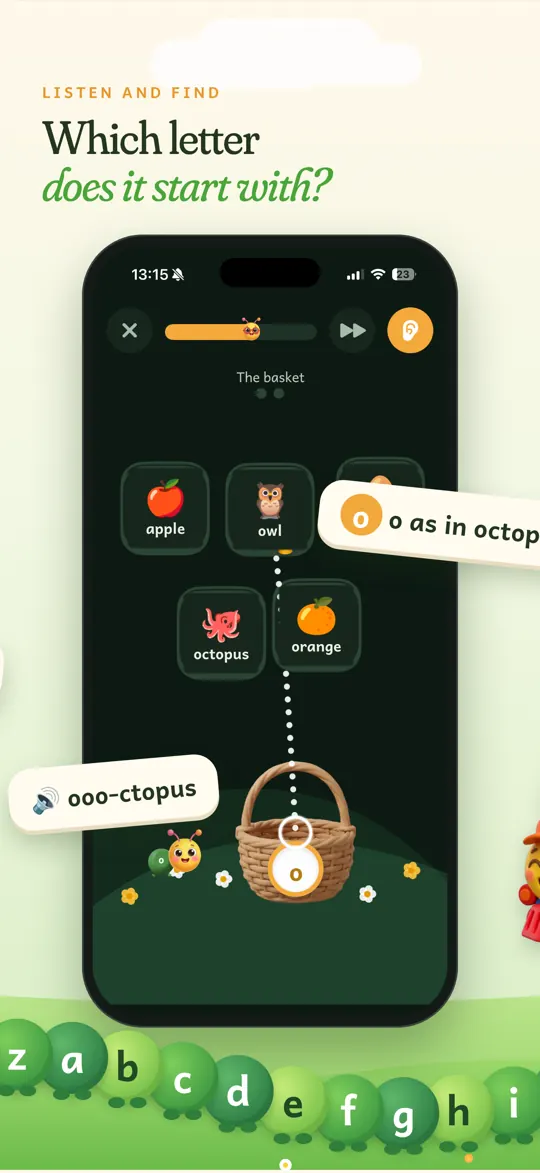
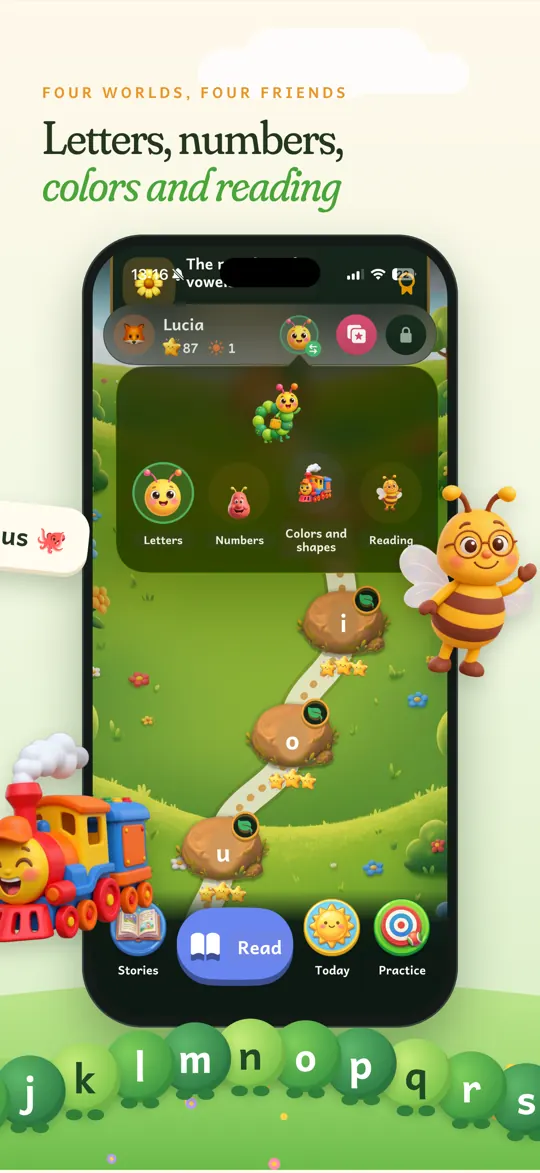
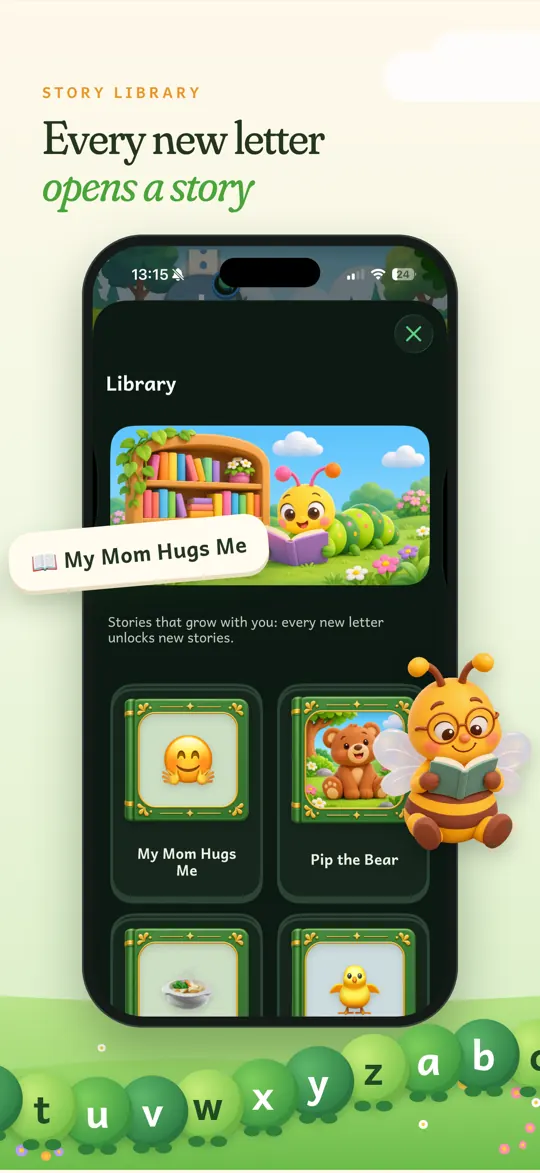
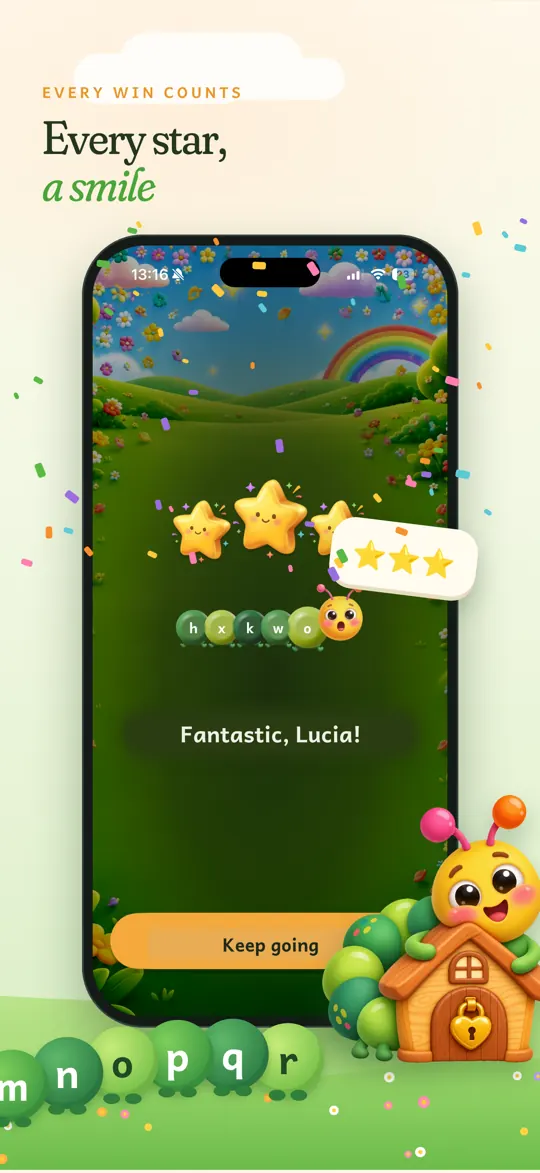
Learn to read, letter by letter. Tap the letter to feed Letruga. Trace the letter with a finger. Which letter does it start with? Each world's path of letters. Every new letter opens a story. Stars at the end. Screenshots from Letruga's App Store listing.
It is important to distinguish what is verified in each entry. The Spanish version states 35 stops, seven worlds, and 22 stories; the English version, 46 stops and eight worlds with a different phonetic sequence. The App Store lists 44 interface languages, while its release notes mention added reading courses for specific languages.
A path that controls what can be read
Letruga's central premise is to present words, phrases, and stories constructed with letters or sounds already taught. This allows the child to attempt to decipher a word instead of guessing it from the image. In Spanish, the learning path progresses to complex spelling combinations; in English, it focuses on phonics and gradually introduces irregular words.
The stated sequence aligns with the principle of explicit and systematic instruction summarized in Reading Rockets. This shared approach does not, in itself, prove the app's specific effectiveness. To assess its usefulness, observe whether the child applies a sound outside the screen and whether they understand what they have read.
Games and daily practice
The app listings describe sound activities, tracing, blending, word building, rhymes, sentence reading and short stories. The English listing also mentions sound buttons and blending; the Spanish one mentions dictation and syllables. Release notes describe new minigames and an activity in which letters are selected. Check which are available in the language and version you install.
A short practice session can review a difficult point without exhausting attention. Stickers, costumes, and certificates provide motivation, but they are not a measure of understanding. End each session by asking what sound was practiced or what the story was about. If the child cannot explain, calmly return to a previous activity.
Stories and comprehension
In Spanish, 22 stories are advertised that unlock progressively, along with a comprehension question at the end. In English, decodable stories and questions are also advertised, but without the same number. Read one together with the child and discuss the actions, characters, and vocabulary. For a richer reading experience, also keep books that an adult reads aloud.
The EEF emphasizes that decoding and understanding are complementary dimensions. A child may read every word in a sentence and need help to understand it; another may understand a narrated story but not yet be able to decode it independently. The app can support both tasks, but it does not replace conversation.
Tools for the family
The app listings advertise progress tracking by sound or letter, practice time, printable worksheets, reminders, time limits and up to four child profiles. Print, uppercase and cursive options can help match the lettering used at school. Before printing, check which content and terms are available in your language and plan.
The progress panel should guide you toward specific support: practicing a letter–sound match, rereading a sentence, or asking the teacher. Avoid using it to compare siblings or set a rigid deadline. Minutes of use do not equal learning; a shared reading session outside the device also counts.
Price, privacy and limits
The app appears to be free with in-app purchases. The Spanish listing advertises a free trial, monthly and annual subscriptions, and the option to purchase the full course; the US listing presents different trial terms and prices in dollars. Check the current offer in your country before paying. Subscriptions renew according to the store's terms and conditions until cancelled through their channels.
The app listings state the absence of ads and accounts, parental controls, and that data does not leave the device; however, the App Store displays "data not collected" as a developer statement not verified by Apple. Review the privacy policy and the device's permissions. If you are concerned about persistent reading difficulties, consult with your school: the app does not diagnose or replace an individual assessment.
How to try before you buy
Install the version corresponding to the device and explicitly choose the language in which the child is learning to read. Review the free trial and listen to the voice. Ask if the sound, vocabulary, and lettering match their school. Watch a game, a blending exercise, and an unlocked story. If you don't have access to that story in the trial, review the screenshots and purchase terms before assuming its content.
Set up a profile and see how progress is displayed. Check that you can find an activity the child hasn't mastered and repeat it without pressure. Test the parental gate, time limits, and lettering options. If there's more than one child, verify that their profiles don't get mixed up. These small checks say more about everyday usefulness than a store slogan.
Before activating a subscription trial, read the price after the promotional period, the renewal date, and the cancellation procedure. Compare the full one-time payment course with the subscription based on your intended use. The US and Spanish terms and conditions differ.
A tool within a reading culture
The app can offer a sequence of exercises, but the child also needs to see that reading is for enjoyment and communication. Leave books within reach, point to a recipe or a note, and read aloud stories they can't yet decipher. When they ask about a new word, talk about its meaning. Systematic learning and the pleasure of stories can coexist every day.
If the practice is met with resistance, reduce its duration and observe why: difficulty, fatigue, the wrong language, or a need for adult explanation. Visual rewards can be motivating, but a broken streak shouldn't be seen as failure. Talk to the school to reinforce the point already being covered in class and avoid progressing along a different path just to unlock content.
A final check before moving forward
For a bilingual family, it's important to distinguish between the language of the interface, the voice used for the exercises, and the language whose writing system is being taught. The store listing may list a language that allows menu navigation without confirming all reading activities. Test with a lesson and a story, and don't attribute the number of worlds in another language to the local version. The decision to pay should be based on that actual course. If the child changes schools or the language of instruction, discuss with teachers how to maintain shared reading at home. A good digital resource adapts to that conversation, it doesn't replace it.
Frequently Asked Questions
Is it available for Android and Apple?
Yes: it is on Google Play (Android) and the App Store (iPhone and iPad). Check compatibility and availability in your region.
Do all 44 languages have the same course?
No. The App Store lists 44 interface languages, but the reading course itself is built separately for each language that has one, with its own sounds, sequence and stories. Spanish and English are described in detail in their listings; open the course for your language in the app to see its stages.
How much does it cost?
The download includes a free initial trial; continuing offers purchases or subscriptions. Check current pricing and terms in your store.
How many stories are there?
The Spanish listing states 22. The English one states decodable stories, but does not indicate that same number.
Does it replace a teacher?
No. It is a practice tool that complements teaching, books, and conversation with adults.
Sources and review
Revised November 11, 2026. Sources: Letruga Spain; Letruga English; EEF, Early Reading. The practical recommendations are editorial. Features, prices and languages may change: check your store listing before paying.