Brain games without ads or an account: options and checks
Transparency: Brain Games is made by AppRadar, the publisher of this website.
Brain games without ads or an account: the Games for Brain listing states both features and free daily practice. For other apps, you should check the current versions before claiming they meet both criteria.
Which option is confirmed here
The product page for Brain Games states that it is ad-free, requires no account, and offers no tracking, with progress saved on the iPhone. This is the only app in this comparison whose combination of these three features we have verified directly on the product page. Free daily practice allows for progress. We cannot attribute the same absence of ads or registration to other apps without checking their local versions.
“No account” does not mean no data is collected on the device. Apple states “No data is collected” as a developer statement, not as an audit of Apple's own findings. Read the privacy policy and review backups. Optional purchases in Cerebro Pro are separate from third-party ads; the free version and privacy are separate issues.
1. Games for the brain
The description outlines profiles, a daily plan, 75 games, and flashcard learning. You can start playing without an account, as described. The app doesn't display third-party ads, but it does offer a paid upgrade for more daily games and unlimited selection. This distinction prevents confusion between "no ads" and "everything unlocked."
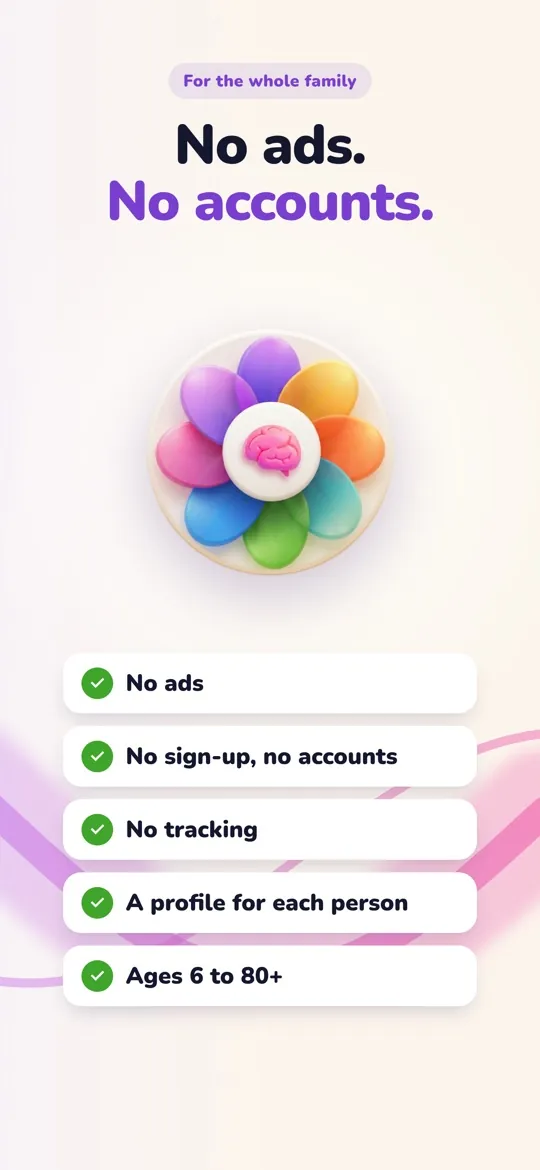
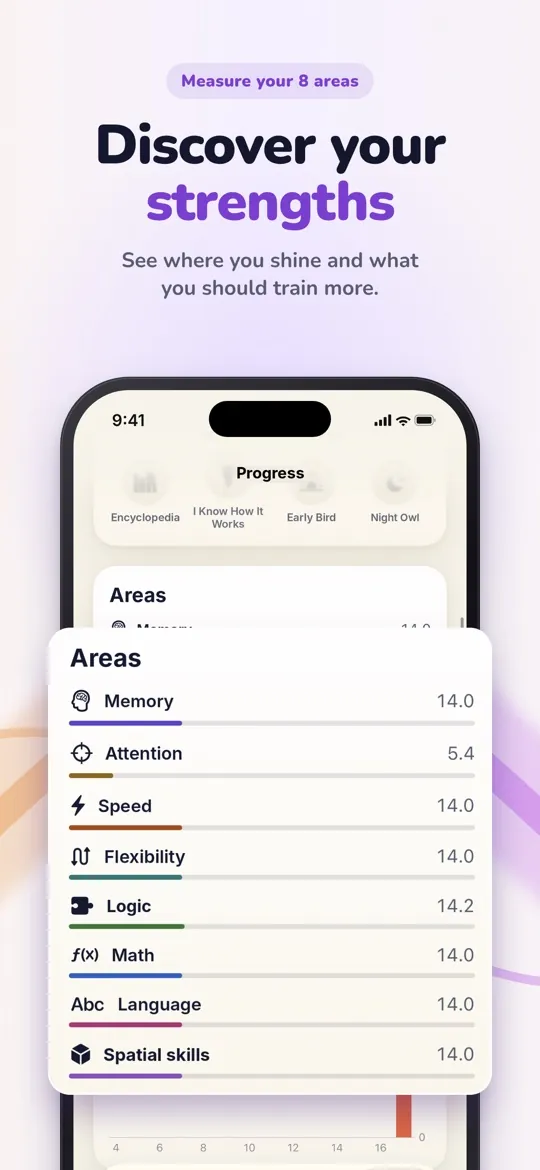
The progress flower stores information on the device. It asks what will happen when you switch iPhones and which backups you have enabled. If children use it, it configures purchases and monitors age-appropriate games. If an older person uses it, it checks text and button sizes. Privacy does not replace accessibility.
The absence of ads might make a session more relaxing, but it doesn't turn a game into therapy. Internal metrics show what was played. They shouldn't be considered a measure of brain health.
2. Peak: checking the ads
Peak offers free games and Pro. We could not confirm with the sources used here that its free version is ad-free, so we do not list it as a confirmed ad-free option. Check the current edition and your country.
The amount and frequency of advertising may vary. Try several sessions and see if a video or banner appears. If it doesn't appear in one session, don't conclude that it will never appear. The comparison should be updated if conditions change.
Also, check if it requires an account for the tracking you want to use. Ads and registration are separate criteria. The answer may vary depending on a premium feature or a future update.
3. Lumosity: registration to be verified
Lumosity offers games and Premium features, but the evidence reviewed here does not confirm that the entire experience works without an account or ads in all territories. Before adding it to a strict list, open the app, try a game without registering, and review the privacy labels.
If you need synchronization between devices, an account might be useful; if you don't want one, choose another option. This isn't a moral judgment about the product. The important thing is knowing what data is being requested and how it's managed.
Avoid copying old statements from a review or a foreign store. The current setup screen and the current policy are more relevant for a privacy decision.
4. NeuroNation and Elevate: not confirmed
NeuroNation and Elevate have downloadable and in-app purchase versions, but we cannot confirm with the sources used here that both are ad-free and registration-free in all regions. In a proper table, these boxes are marked "to be verified".
The absence of evidence does not prove the presence of ads, nor does the opposite. Look up the privacy policy, try the initial flow, and watch several free games. Note the date and device so the comparison can be repeated.
If a feature requires an email address, ask what it's for and how to delete the account. If a subscription offer appears, distinguish between a genuine promotion and third-party advertising. The terms and conditions are important for making an informed choice.
How to check three different questions
For ads: read the listing, look for mentions of advertising, and play several times. For account information: try logging in without email or login and see if registration is optional. For tracking: consult the store's privacy section and the developer's policy. Not everything can be verified using a promotional screenshot.
Also check parental controls and in-app purchases. An ad-free app may offer a Pro version. If a child touches the device, the adult should know where the payment screen is. If privacy is paramount, check system permissions and whether or not progress is tracked outside the phone.
Privacy does not equal effectiveness
The NIA warns that there is insufficient evidence to translate the results of certain studied training programs into commercial apps. A review of programs also does not support guaranteed overall benefits. Do not use the absence of ads as an argument for improved memory.
You might prefer an ad-free app for convenience, fewer interruptions, or because you don't want to create credentials. These are valid and understandable reasons. You can also play card games, puzzles, or Sudoku on paper, without ads or accounts of any kind.
A table with honest states
You can mark “confirmed” for ads and account for Brain Games according to its store listing, and “to verify” for the alternatives whose combination of conditions was not confirmed here, such as Peak, Lumosity, NeuroNation and Elevate. Do not fill gaps with assumptions.
A privacy policy explains data collection and usage, but it should be read in conjunction with permissions, system backups, and the specific function. If you switch devices, ask how to recover local data. An account may offer synchronization; choosing not to have it involves other practical decisions.
The goal of this comparison is to enable informed choice, not to present privacy as a cognitive cure. An app can be very data-friendly and still fail to demonstrate any significant effects on intelligence. Keep these two claims separate when recommending it.
Frequently Asked Questions
Which app is confirmed to be ad-free and account-free?
The Games for Brain listing states both features and the absence of tracking. This is information from the developer on the App Store.
Does no account mean no progress?
No. The information sheet says that progress is saved on the iPhone.
Does Peak meet the ad-free criteria?
We could not confirm this with the sources used here; check your version and your store.
What about Lumosity or NeuroNation?
We don't confirm both conditions here in all their versions; check your store and onboarding flow.
Can I practice for free without ads on the first try?
Yes, the listing describes a free daily plan and no ads.
Sources
Revised November 12, 2026. App Store Spain; NIA, Cognitive Health; Peak; Lumosity; NeuroNation; Elevate. Commercial features are taken from store listings; scientific conclusions are not the result of an evaluation of this app.