Best reading apps for kids: six options for families
Transparency: Letruga is made by AppRadar, the publisher of this website.
How we chose these six apps
This editorial ranking prioritizes five questions: whether the app gradually teaches letter–sound relationships; whether children can practice with words they can decode; whether it provides opportunities to understand what they read; whether families can control time and privacy; and whether it suits the language the child is learning to read. Letruga ranks first for its combination of a sequenced learning path, unlockable stories, family progress tracking and lettering options described in its app listings. This is not a comparative test of effectiveness or a promise that it is the best option for every child.
The Education Endowment Foundation finds strong evidence in favor of systematic phonics instruction, but points out that decoding words alone does not equate to understanding a text. A good app should be used in conjunction with read-aloud stories, conversation, and school support. Compare current features in app stores before purchasing: plans, languages, and age ranges may change.
1. Letruga: step-by-step reading in Spanish and English
In its Spanish store listing, Letruga describes a phonics-syllable learning journey with 35 stops across seven worlds: vowels, consonants, more complex combinations, and 22 stories with comprehension questions. Each word, phrase, and story is filtered according to the letters already learned. There are exercises for sound, tracing, syllables, dictation, rhymes, and reading sentences; the adult can check the progress of up to four children, set a time limit, and access printable worksheets.
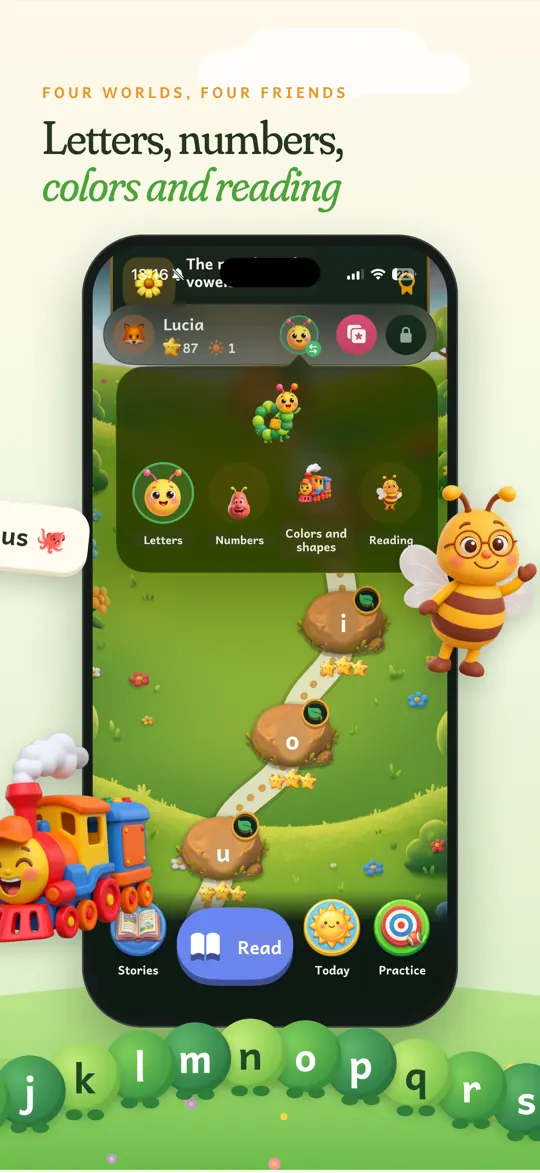
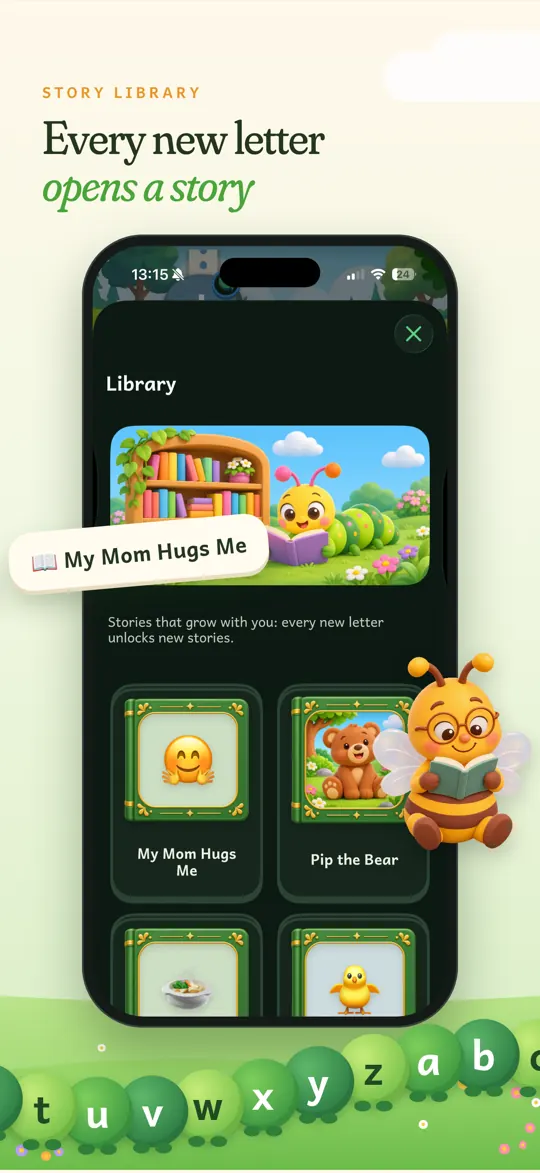
The English listing presents a different synthetic phonics course: 46 stops across eight worlds, from s, a, t, p to digraphs and vowel clusters; it introduces some irregular words gradually. This difference is an editorial strength: translating buttons wouldn't be enough to teach reading in another language. The App Store's catalog of 44 languages describes the app's languages; check which ones in your installed version offer a complete reading path, voice narration, and original stories.
The download appears as free with in-app purchases. In Spain, the listing advertises a free start with the vowels and the letter m, monthly and annual subscriptions, and the full course as a one-time purchase. Trial conditions and prices differ by country and are subject to change. The listings state no ads and no accounts, with purchases and links behind a parental gate. Review the privacy policy and purchase screen before setting up a child's device.
2. Aprender a leer 1 con Grin
Grin offers 30 lessons, from vowels to complex combinations, with an interactive adventure in Spanish. It may appeal to those looking for a familiar learning path and games with a school-like structure. Check the app's details to see if the content you need is included in the download or requires a purchase, and see if the exercises correspond to the letters the child is already working on in class. The second part of the method is listed as a separate app: don't confuse the scope of each version.
3. ABC Dinos
ABC Dinos is presented as a letter and literacy game for preschool and early elementary grades. It's an alternative way to explore the alphabet with visual activities. As with any game app, a correct answer after several attempts may reflect image recognition and not necessarily independent reading. Ask the child to explain which sounds they have combined and then try a simple word off-screen.
4. Teach Your Monster to Read
Teach Your Monster to Read offers English phonics games and claims compatibility with standard UK teaching sequences. It is particularly relevant if the goal is to learn to read in English. Do not swap its sequence with a Spanish syllable: each language requires appropriate examples and pronunciations. Check availability, region, and accessibility before suggesting it to a child learning another language.
5. Khan Academy Kids
Khan Academy Kids covers reading, books, math, and other early childhood education activities. It's a comprehensive option for families who prefer a library and various areas in one app. This comprehensiveness also means it's helpful to choose a specific goal—listening to a story, practicing a sound, or reading a text—and see if the chosen activity helps achieve that goal. The language and age ranges offered may vary depending on the content.
6. Smile and Learn
Smile and Learn brings together stories, games, videos, and activities across various subjects and languages. It can be useful for families and schools looking for diverse resources, although not all of its catalog focuses on early reading skills. Its Google Play listing indicates that full access may require a subscription. Compare the specific reading path, monitoring tools, and total cost, not just the advertised amount of materials.
Which app to choose based on your needs
If your child is starting to read in Spanish and you want each story to use only what they can already decode, try the free introductory section of Letruga and see how they respond. If they are learning to read in English, compare its phonics course with Teach Your Monster to Read. If you want to explore several subjects, Khan Academy Kids or Smile and Learn may suit you. Grin and ABC Dinos offer Spanish-language options with different styles of play. The practical choice depends on the language of instruction, what the child already knows and how much time an adult can spend supporting them.
Try any app for a short session. See if the child can say the sound without a visual cue, put two or three sounds together to read a new word, and retell a story in their own words. These observations are worth more than a daily streak. If they get frustrated, lower the difficulty, read aloud, and talk to their teacher about the next skill to work on. Learning isn't a race to complete screens.
An editorial test you can repeat at home
Open a lesson that corresponds to a letter already taught and observe how the app presents it. Is the sound clear? Does it then appear in a syllable, a word, and a sentence? Can you figure out what the child will do if they make a mistake? These details offer a more useful comparison than counting colored screens. In the case of Letruga, the advertised text filtering is an easy hypothesis to test in the installed version: find an unlocked story and check if it contains letters the child doesn't yet know.
The second part of the test takes place outside of the mobile device. Write a new word made up of the sounds you've just practiced and see if your child can read it without a picture. Then ask what it means. If the app has only trained a visual response, you may need to add sound modeling with an adult. If your child can read it but doesn't understand, engage in more conversation and stories. The choice of an app should be based on this observation, not on a table of functions that's identical for all families.
The third part is family-oriented: see if you can limit usage time, keep purchases out of children's reach, and find a profile without mixing up siblings' progress. Also, check how sounds are pronounced in your language and if the font matches the school's. An app that works well in English isn't necessarily the best guide to Spanish syllables; the curriculum sequence matters more than the overall number of languages in the store.
Real cost and keeping up to date
Note the cost of the first month, the cost of a year, and the one-time purchase option, if available. Calculate which one best suits your expected usage time, without assuming that a higher price means better learning. Stores may offer trial periods that convert to a subscription. It is the adult's responsibility to check when the trial ends and where to cancel. The purchase screen should remain inaccessible to a child.
A comparison becomes outdated quickly. Letruga's release notes show language courses and games added at different times; therefore, this ranking cites listings consulted in November 2026 and recommends verifying each version.
Frequently Asked Questions
Why does Letruga appear first?
Because of its described learning paths for Spanish and English, texts limited to what has already been taught, stories, family controls, and declared privacy. This is an editorial assessment, not an experimental comparison.
Can the app teach a child to read without adult support?
An app can provide practice, but conversation, shared reading, and adult-led instruction remain essential.
How many languages have reading courses?
The App Store lists 44 app languages. The release notes and descriptions confirm reading courses for several languages, but this doesn't guarantee that all 44 languages have the same course. Verify each language within the app.
Is it completely free?
Download and an initial portion are free; continuing may require a subscription or purchase of the course. Check current pricing and trial terms in your country.
What should I do if my child is not making progress?
Talk to the child’s teacher to identify whether they need support with sounds, blending, language or comprehension; do not automatically move them up a level.
Sources and review
Revised November 11, 2026. Sources: Letruga Spain; Letruga United States; EEF, phonics. The ranking order and the practical recommendations are editorial. Features, prices and languages may change: check your store listing before paying.