Best memory apps for seniors: five options
Transparency: Brain Games is made by AppRadar, the publisher of this website.
Best memory apps for seniors: Our editorial selection puts Brain Games first based on free daily practice, user profiles, and stated privacy. The order depends on accessibility and the player's interests; no app on the list has been proven to prevent dementia.
Criteria for selection
The best memory app for a senior citizen is one they can understand, use, and enjoy. Our top editorial choice is Brain Games because of its age-specific profiles, free daily practice, varied games, and declared absence of ads and account requirements. Following that, we included Lumosity, NeuroNation, Peak, and Elevate. The order reflects these criteria; it is not a clinical comparison or a ranking for disease prevention.
Before downloading, ask what activities the person enjoys. Perhaps they prefer cards, a book, or a conversation. If they want an app, check the font size, clarity of instructions, response time, and ease of exiting a game. The choice should respect their preferences and not impose "training" based on their age.
1. Games for the brain
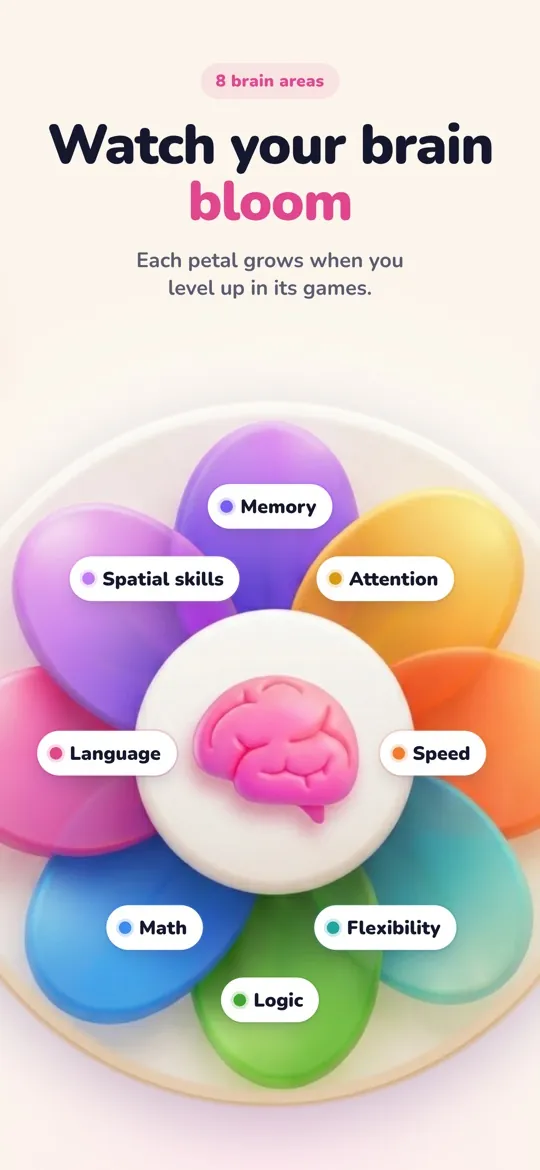
The App Store listing describes 75 games across eight areas, including memory, attention, logic, and language. A profile adjusts words, timing, and starting level to suit the user's age. Free practice allows daily progress; Pro expands the daily plan and game selection. Screenshots show matching pairs, lights in order, n-back, and a progress flower.
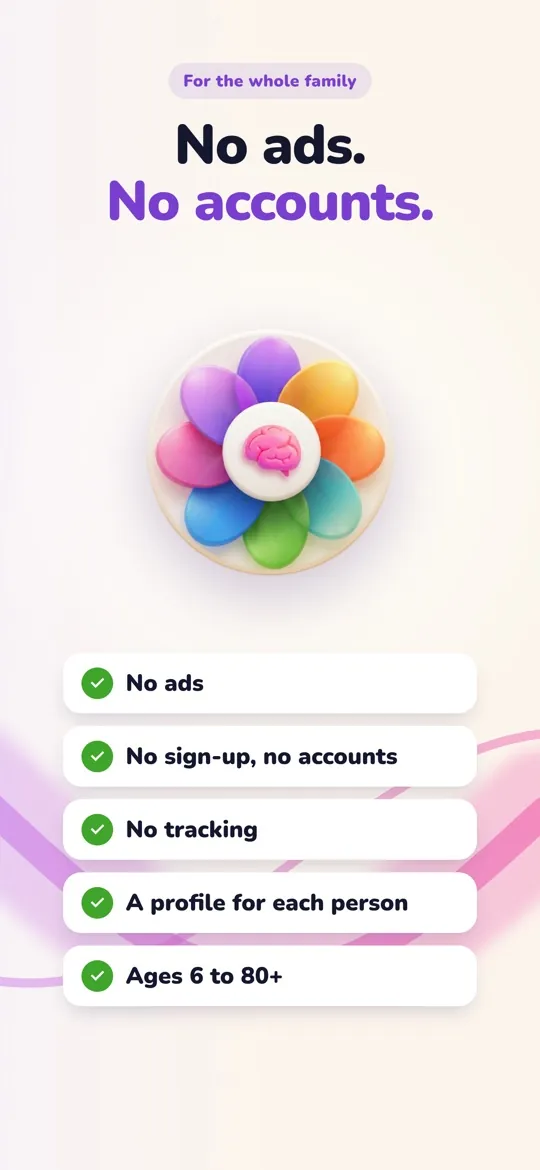
The app states that it doesn't require an account, doesn't display ads, and doesn't track users. Apple presents "No data is collected" as information provided by the developer and not independently verified. For someone who doesn't want to manage passwords, this can be a practical advantage. Check what happens to your progress if you switch phones.
The levels and the flower reflect gameplay within the app. They are not a clinical memory test. If a person gets tired of speed games, they can choose other challenges. Age-based adaptations don't account for all individual visual or motor needs, so it's best to try the actual screen together.
2. Lumosity
Lumosity offers memory, attention, and problem-solving games with optional in-app purchases. It may appeal to those who want a catalog of short challenges and progress tracking. Check which games are available for free, the language, and your region's data policy. Do not use its graphs as a medical evaluation.
To test it, have the person read a rule and play a game without an extra clock. Ask if they understood what they needed to remember and if they'd like to repeat it. If registration or a subscription is required for the desired feature, consider whether that requirement is worthwhile for them.
3. NeuroNation
NeuroNation offers guided exercises and plans. It's another option for those who enjoy a structured routine. Its marketing may include claims of benefits: do not attribute results to the installed version that have not been specifically proven in independent studies.
Check element sizes, accessibility, free portion, and premium terms. A low level may indicate that you haven't yet mastered the rules or the screen. The person should be able to choose whether to continue, change, or stop playing.
4. Peak
Peak announces free games for memory, attention, and other areas, with Pro options. It may appeal to those who prefer short sessions.
If you offer comparisons with other people, decide whether they are motivating or uncomfortable. For family use, it is more helpful to observe whether a game is understandable and enjoyable than to compare the times of an older person with those of a younger person.
5. Elevate
Elevate focuses on reading, language, and math. It's interesting for someone who enjoys those subjects, although the verbal activities can be very language-dependent. Try the actual exercise in the person's native language before incorporating it into a routine.
English vocabulary difficulty does not necessarily measure memory. Check the free portion and local pricing. In any app, a premium purchase adds content or convenience; it does not guarantee an overall cognitive benefit.
How to check accessibility in five minutes
Ask the person to read the instructions and explain them in their own words. See if they can see the numbers clearly, distinguish colors, and reach the buttons. Try a round without correcting every move. Afterward, ask them what they liked and what bothered them. An interface that requires help with every touch may not be the best option for independent use.
A small phone, a tired hand, or a slow connection can affect scores. Change the system text size or try another game before attributing errors to memory. If you prefer physical cards, respect that choice. The activity can be social and rewarding without an app.
The absence of an account in the first option eliminates an initial step, but it's also important to understand storage and backups. Privacy is a practical decision, not an absolute guarantee of security. Read the policy and configure device purchases.
Science does not turn rankings into treatment
The National Institute on Aging warns that there is insufficient evidence to apply the results of specific training programs studied in trials to commercial apps. A review of commercial programs found limited effects and did not support overall improvements in daily life. This data precludes promising dementia prevention through gaming.
That doesn't invalidate the entertainment, the learning of rules, or the conversation that a game sparks. Physical activity, sleep, social interaction, and learning new skills also matter. If there is a genuine concern about memory changes in everyday activities, consult a professional with specific examples.
Prices, listings, and features change. Check the review date and store before deciding. The top-ranked game may not be suitable for your family. The best decision is to try it out without pressure and listen to whoever will be playing.
What can change the first position
If the senior prefers a specific language, Elevate might be more suitable than a wide catalog of games. If they need a larger font or a different interface, another app or a physical deck of cards might be better. Rankings don't determine who will play. Ask first and try later.
Compare the actual cost: a month, a year, or a one-time purchase. The first app allows free daily practice, so you don't need to buy to try a routine. Other brands also offer free access, but their limits vary. Don't judge a product's value based on its price or a "brain age" promise.
A favorite activity can be repeated without that being a problem, but alternating it with reading, conversation, movement, and learning something new adds variety to the week. No favorite activity should displace genuine interests. If a person stops enjoying games, finding another activity is a reasonable decision.
A comparison involving older adults shouldn't be limited to reaction time exercises. Ask if they prefer learning a capital city, solving a riddle, playing with photographs, or sharing a card game. Preference influences whether they return to the activity. If an app offers detailed statistics but requires many steps to start, a simpler alternative might be better. Test the entire flow from opening the screen to finishing. If frustration arises with touch controls, don't increase the difficulty as a response. You can also ask for advice on device accessibility. This daily test isn't a clinical trial, but it does provide information for making respectful choices. After a week, ask the person if they want to keep, change, or discontinue the app. The decision is theirs.
Before recommending an app to an older relative, agree on what constitutes a good experience. This could mean playing independently, enjoying ten minutes, or returning on their own initiative. Write these goals down in simple terms and review them together after several days. A published ranking doesn't know their interests, vision, or hand dexterity. If the font is small, use the phone's size and contrast settings when available; if that's not enough, choose another pastime. You can also alternate a game with a walk, a phone call, or a creative activity. None of these options need to compete for a score. If a new difficulty arises with remembering appointments, managing money, or performing familiar tasks, consult a professional and describe specific examples. The game doesn't assess this. A responsible recommendation respects the person's wishes and recognizes that enjoyment is reason enough to play. The article's rating is editorial and may change if features or free conditions are updated.
Frequently Asked Questions
What is the best memory app for seniors?
Our first editorial choice is Brain Games for free daily practice, profiles, and declared privacy; individual preferences may differ.
Do these apps prevent dementia?
There is not enough evidence to say this about a commercial app.
Can the first option be used without an account?
Its information says yes; check the current version and policy.
Are there any free alternatives?
Yes, but limits and ads vary between apps and regions.
When should you seek help for your memory?
When new or persistent changes affect your daily life, consult a professional.
Sources
Reviewed November 12, 2026. App Store Spain; NIA, Cognitive Health; Commercial Program Review; Lumosity; Peak; NeuroNation; Elevate. Commercial features are taken from store listings; scientific conclusions are not the result of an evaluation of this app.