Brain Games: A Complete Guide to Family Apps
Transparency: Brain Games is made by AppRadar, the publisher of this website.
Brain Games is an iPhone app with 75 games across eight areas, adaptable levels, learning decks, and family profiles. You can practice and progress for free every day, or expand your selection with Cerebro Pro; its statistics reflect activity within the app, not brain health.
What is the application
Brain Games is a mental challenge and learning app for families, available on the App Store. Its description includes 75 games covering memory, attention, speed, flexibility, logic, calculation, language, and spatial awareness. Each game has up to 50 levels and adapts the difficulty to the user's performance.
Its proposal combines short games, a daily plan, and decks of cards for learning content. It is not a diagnostic device, an intelligence test, or a clinically validated intervention. The information sheet expressly states that no game makes a person "smarter" overall. This distinction allows users to enjoy the app without expecting a transformation that research does not support.
The 75 games and the eight areas
The catalog screen displays categories with examples such as pairs, lights in order, n-back, Sudoku, speed reading, and calculation. A category helps in finding challenges, but it doesn't mean that a score measures a person's entire memory or attention span. Within the same area, there are different tasks: remembering positions, recognizing a sequence, or solving a logic problem are not the same activity.
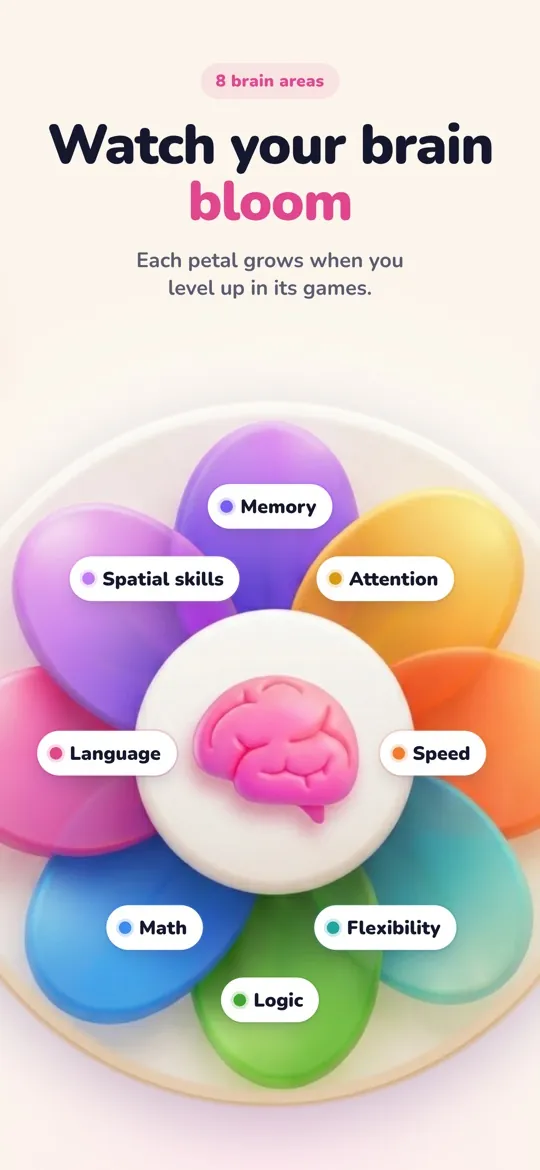
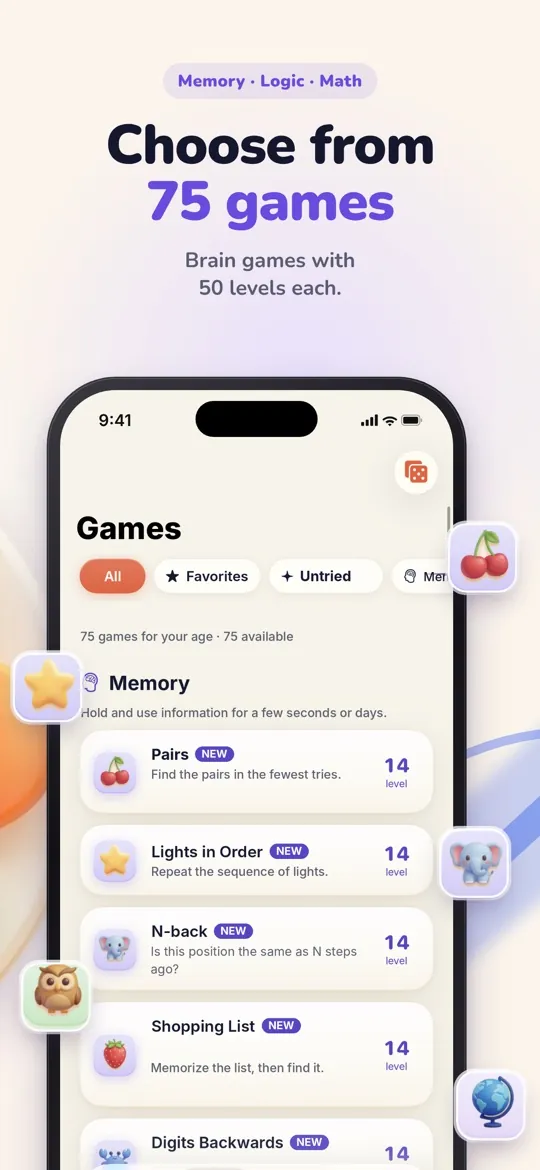
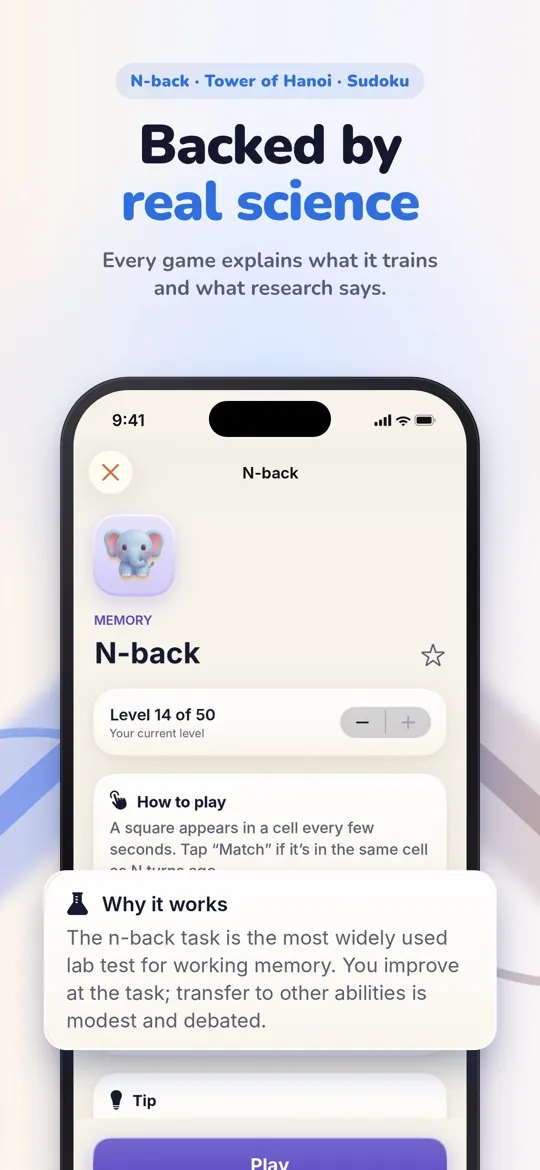
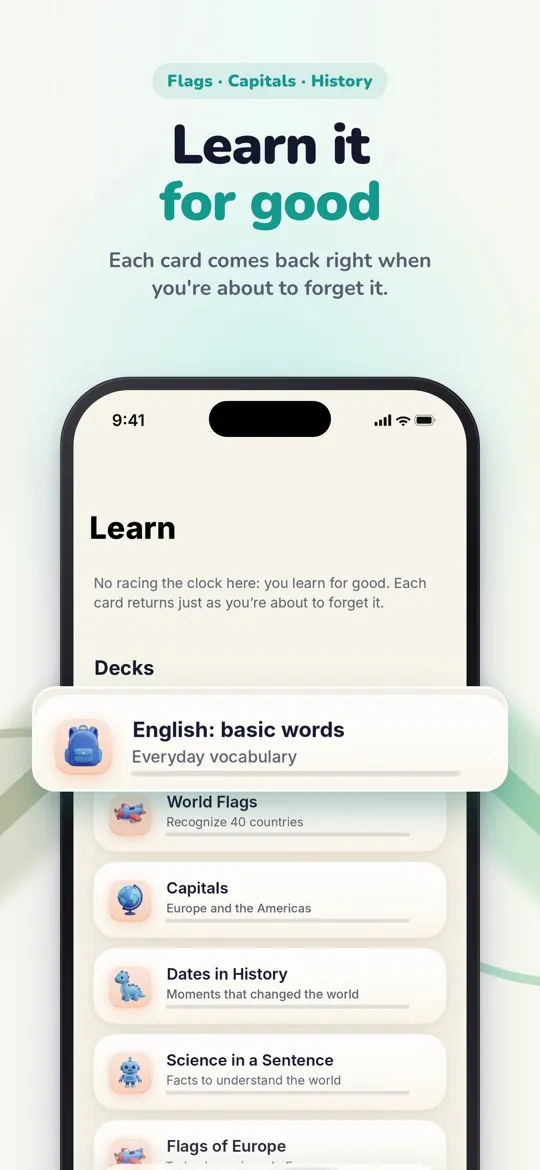
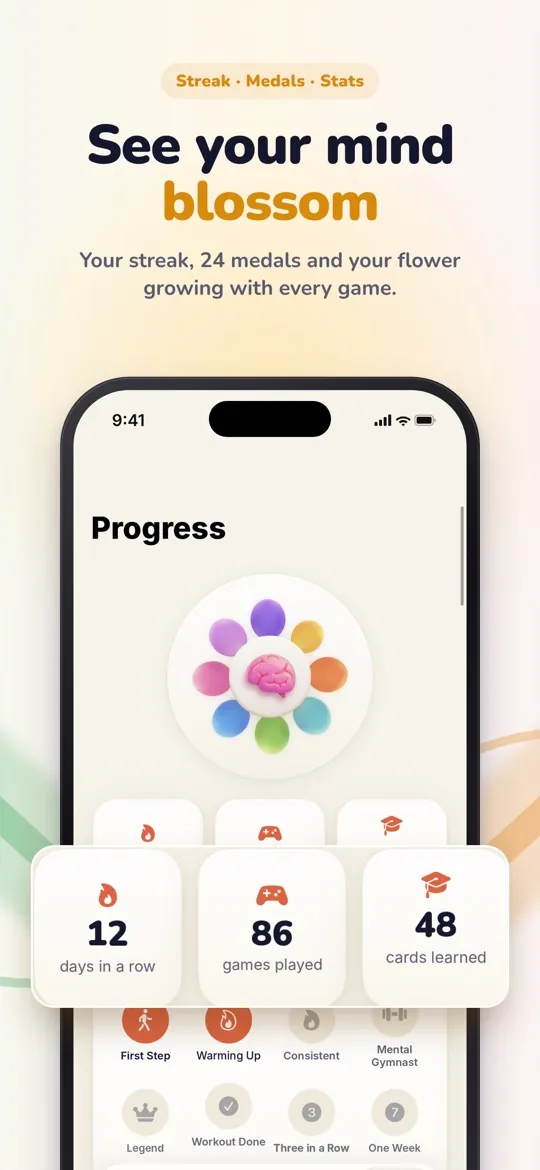
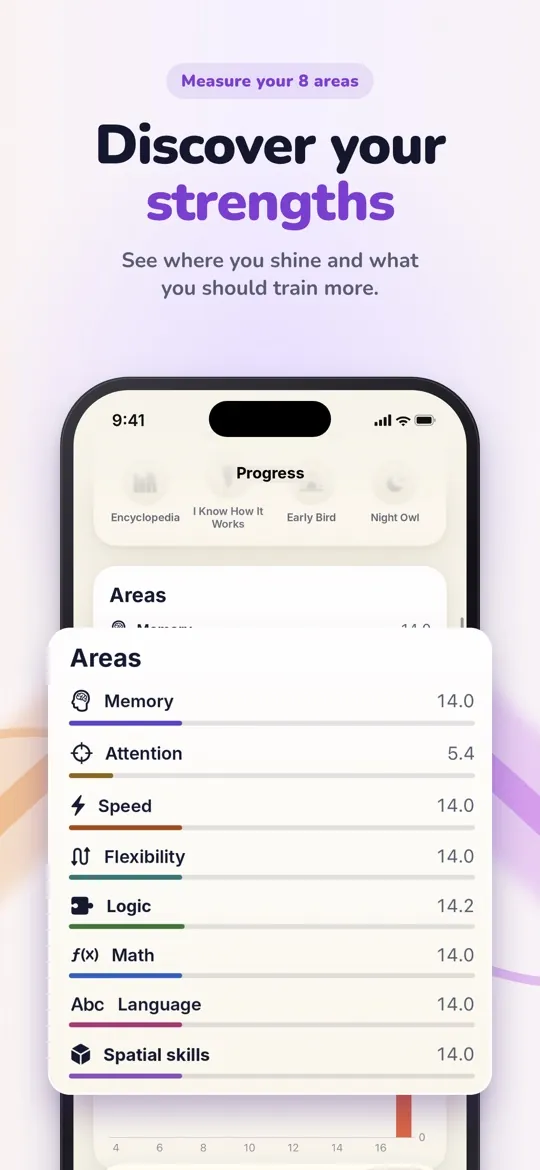
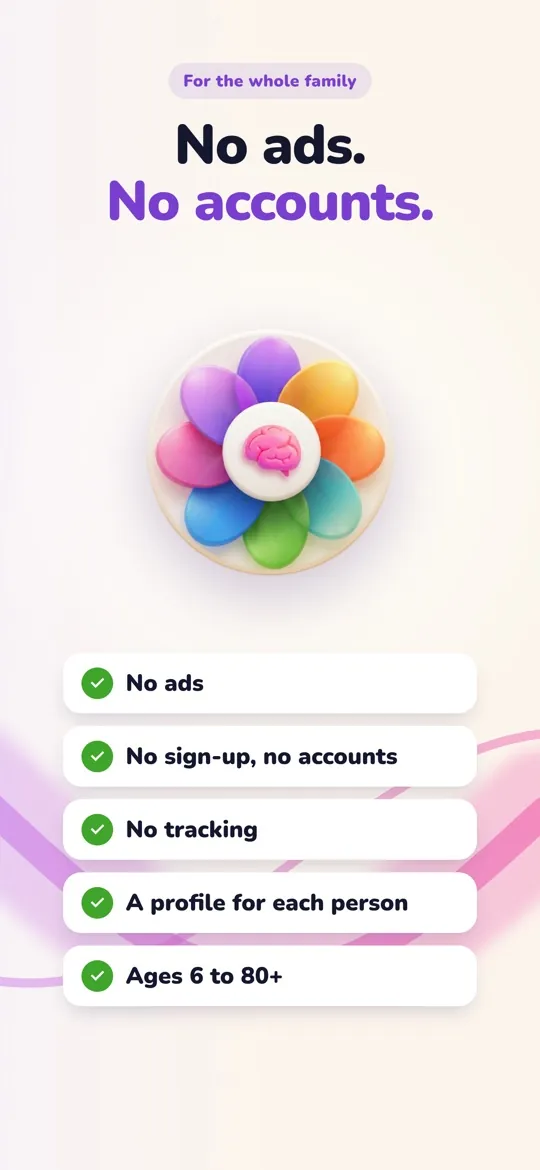
Screenshots from the app's App Store listing.
Each challenge explains how to play and its relation to a task used in psychology, according to the store's description. The screenshot of n-back reveals a particularly honest limitation: improvement in that task does not necessarily imply broad transfer to other abilities. A laboratory paradigm inspires the rules, but mere resemblance does not transform the game into a clinical trial or validate health outcomes.
The 50 levels can help maintain a balanced challenge. If a level drops after mistakes, interpret that change as part of the design, not a loss of ability. Sleep, distractions, familiarity with the screen, and the type of game all affect a day's results. Observe internal trends with caution and avoid comparing scores between people.
Today's training
The daily plan selects games from less frequently practiced areas. This selection distributes the activity, but it is not a medical prescription and does not guarantee that the suggested time is optimal for everyone. You can stop earlier or play later.
The Spanish product description mentions "five minutes a day," while a promotional screenshot says "10 minutes a day." For this article, we haven't set a specific recommended dose: it suggests short sessions and lets the user choose. If you're concerned about a child's screen time, set a family limit and alternate with physical play, reading, and conversation.
A routine can serve as a reminder that you enjoy challenges, not to turn a streak into an obligation. If you miss a day, you can come back without making up for it. Consistent use represents activity within the app, not a measure of brain health.
Learning content with spaced repetition
The "Learn" section offers decks of cards covering flags, capitals, English, tables, history, and science, based on information sheets and screenshots. The cards reappear for review over time. This feature has a different goal than a reaction game: to recall a specific answer. You can check what you've learned without opening the screen, for example, by naming a capital in a conversation or using a new word.
Don't promise to remember "forever." Spaced repetition organizes reviews, but forgetting, restudy, and applying an idea in context are normal parts of learning. If you're studying vocabulary, pronounce the words and use them in sentences. If you're studying flags, match the country to a map. The flashcard is a gateway, not all the knowledge.
The screenshot shows decks and progress bars; these percentages describe estimated activity or mastery based on internal rules. They are not equivalent to a formal school assessment. A parent can use the app as a support tool, but should check that the content and level are appropriate for the child.
Profiles, privacy and pricing
The description advertises separate profiles and age-based customization, with different words, time, and starting levels. Each user's profile tracks their progress. The app claims to operate without ads, accounts, or tracking; however, Apple's privacy section displays "No data is collected" as a developer statement, which has not been verified by Apple. Review the current policy and device backups if you wish to save progress long-term.
The free version allows you to practice and progress daily with a three-game daily plan; the listing also includes samples of one game per area, one deck, three techniques, and progress tracking. Cerebro Pro adds more extensive daily plans, free selection of games, and more decks and techniques. In Spain, monthly and annual subscriptions and a one-time purchase are listed; do not set the price in a text that will be translated for multiple countries. Please refer to the local purchase screen.
The information sheet indicates compatibility with iPhone and iOS 17 or later. Before installing, please verify that your phone meets the requirements and that the app store version is for your region. Size, features, and terms may change with an update. If you share the device, review the user profiles before starting a new game.
What do statistics mean?
The eight-petaled flower, levels by area, medals, and streak make visible what you've practiced within the app. A screenshot shows numerical values in memory, attention, and other categories; these numbers are internal metrics. They should not be presented as clinical percentiles, measured brain capacity, or normative comparison to the population.
If you enjoy exploring data, first look at how your performance in a given game changes as you learn its rules. Then ask yourself if you've learned anything concrete outside the app that you can demonstrate, such as remembering a fact or solving a similar task without help. Don't attribute every difference to games: many life activities influence how you feel and perform.
The NIA reminds us that evidence on commercial applications is insufficient to assume general effects. The app can be a form of mindful entertainment and a tool for practice and learning; however, if you notice a concerning change in your memory in daily life, consult a professional instead of interpreting the flower essence.
How to get started in five steps
First, select your age and create a profile. Second, try a game from a category that appeals to you and read its description. Third, play a game without trying to beat the highest level. Fourth, check your progress to see what the interface records. Fifth, try a learning deck if you're interested in memorizing specific content. This exploration can be continued for free every day; the Pro plan lets you choose more games daily or have free rein.
If you share a device, ask each person to use their own profile. The system can adapt times and words based on age, but it can't anticipate every individual need. A young child might need help with the rules; an older person might prefer larger fonts or not playing against the clock. Adjust usage instead of interpreting the initial difficulty as a test of skill.
In each session, choose a question you can answer: "Did I understand the rule?", "Did I use a different strategy?", or "Did I remember a capital city outside the deck?". A concrete answer guides the next game. An added number from the flower doesn't explain why you did well or poorly in a game.
Questions before paying
Check if you want access to all 75 games, higher levels, full decks, or additional profiles. Daily free practice may be enough for many people, even if they don't need to choose any game from the catalog. Compare monthly, annual, and one-time purchase subscriptions with the time you plan to use it, and read when any trial ends. Prices for the Spanish token are regional and may change.
Review how cancellation is handled in your Apple account. The information explains automatic subscription renewal and the option to share via Family Sharing under certain conditions. A lifetime purchase and a subscription do not have the same long-term cost or identical usage assumptions. Save a screenshot of the terms you agree to if it helps you remember them.
Finally, check what data you want to keep. The absence of an account can be a privacy advantage, but ask how your progress is protected or recovered when you switch phones. Apple's policy is based on developer declarations and does not constitute an independent audit. This article clarifies these differences so you can make an informed decision.
Frequently Asked Questions
How many games does it include?
The information sheet consulted lists 75 games in eight areas and up to 50 levels per game.
Do I need to create an account?
The App Store description indicates that it does not require an account; please verify the version you install.
Does the flower measure my brain health?
No. It represents progress and practice within the app, not a clinical evaluation.
What does the free version include?
You can continue practicing and progressing every day for free with three daily games. The card also lists samples by area, a deck, three techniques, and progress.
Does it work without ads and without an account?
The App Store listing says so; check the privacy policy and the version you install.
Sources
Reviewed November 12, 2026. App Store Spain; NIA, Cognitive Health; Review of Commercial Programs. Commercial features are from store listings; scientific conclusions are not the result of an evaluation of this app.